EasyManua.ls Logo

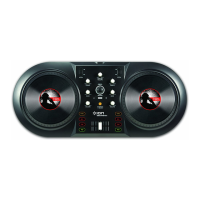
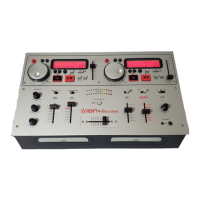
ION DISCOVER DJ - User Manual

ION DISCOVER DJ
16 pages
Print Icon
To Next Page IconTo Next Page
Loading...
DISCOVER DJ
COMPUTER DJ SYSTEM
QUICKSTART GUIDE
::: ENGLISH ( 1 –2 ) :::
MANUAL DE INICIO RÁPIDO
::: ESPAÑOL ( 3 – 4 ) :::
GUIDE D’UTILISATION RAPIDE
::: FRANÇAIS ( 5 – 6 ) :::
GUIDA RAPIDA
::: ITALIANO ( 7 – 8 ) :::
KURZANLEITUNG
::: DEUTSCH ( 9 – 10 ) :::
SNELSTARGIDS
::: NEDERLANDS ( 11 – 12 ) :::

Other manuals for ION DISCOVER DJ

Question and Answer IconNeed help?

Do you have a question about the ION DISCOVER DJ and is the answer not in the manual?

Summary

Getting Started

Install Cross Software

Steps to install the MixVibes Cross software from the included CD.

Start Using Discover DJ

Instructions on connecting the device and launching the Cross software.

Top Panel Features

Browse Knob and Jog Wheel

Function of the BROWSE KNOB for track selection and JOG WHEEL for scratching/searching.

Deck Function Buttons

Explains SCRATCH/SEARCH, PLAY/STUTTER, PAUSE, CUE, SYNC, LOAD, and PITCH controls.

Audio Mix and EQ Controls

Details TREBLE, BASS, VOLUME, MASTER VOLUME, and CROSSFADER for audio adjustment.

Summary

Getting Started

Install Cross Software

Steps to install the MixVibes Cross software from the included CD.

Start Using Discover DJ

Instructions on connecting the device and launching the Cross software.

Top Panel Features

Browse Knob and Jog Wheel

Function of the BROWSE KNOB for track selection and JOG WHEEL for scratching/searching.

Deck Function Buttons

Explains SCRATCH/SEARCH, PLAY/STUTTER, PAUSE, CUE, SYNC, LOAD, and PITCH controls.

Audio Mix and EQ Controls

Details TREBLE, BASS, VOLUME, MASTER VOLUME, and CROSSFADER for audio adjustment.

ION DISCOVER DJ Specifications

General IconGeneral
InterfaceUSB
Plug and PlayYes
Product colorBlack
Compatible operating systemsWindows XP/Vista Mac
Case or master carton weight2.2 kg
Case or master carton quantity2 pc(s)

Related product manuals