Need help?
Do you have a question about the ION DISCOVER DRUMS and is the answer not in the manual?
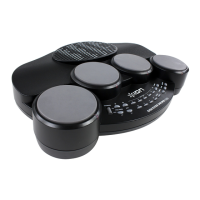
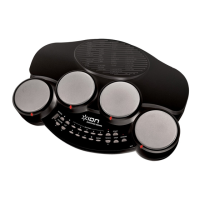
The ION Discover Drums is a tabletop electronic drum set designed for both beginners and experienced players, offering a comprehensive and engaging drumming experience. This device allows users to explore a wide range of rhythmic possibilities through its intuitive interface and versatile features.
The Discover Drums functions as a standalone electronic drum set, providing a complete percussive experience without the need for external amplification (though headphones can be used for private practice). It features multiple drum pads that respond to strikes from drumsticks, producing various drum sounds. The core functionality revolves around its ability to play and interact with 49 pre-programmed rhythms, allowing users to learn, practice, and create their own drum patterns. The device includes a power input for an adapter and a battery compartment for portable use, making it suitable for different environments. A headphone jack is provided for quiet practice sessions, ensuring that users can enjoy their drumming without disturbing others. The master volume can be adjusted to suit the user's preference, and the tempo of the rhythms can be altered to match different skill levels or musical styles. The Discover Drums also incorporates a "Kit" selection feature, enabling users to switch between 26 different sets of drum sounds, thereby expanding the sonic palette and offering greater creative freedom. A unique "Lesson" mode is integrated to assist users in learning drum patterns by muting the drum sounds of a rhythm while visually indicating which pads to hit, making it an excellent tool for self-instruction.
The Discover Drums is designed for ease of use, with a straightforward control layout. To begin, users can power the device either by connecting the included power adapter to the POWER IN input and a power source, or by inserting six C-size batteries into the battery compartment. The POWER SWITCH turns the device on or off. The drum pads are the primary interface for playing sounds; users simply strike them with drumsticks.
Selecting and playing rhythms is a core feature. Users can choose from 49 different rhythms by typing a two-digit code using the numbered RHYTHM BUTTONS (1-7) or by using the RHYTHM -/+ buttons to scroll through the available rhythms one at a time. Once a rhythm is selected, pressing the START button initiates playback. During rhythm playback, the lights below the drums illuminate to indicate which drum's sound is occurring in the rhythm, serving as a visual aid for learning.
While a rhythm is playing, several controls can be utilized to customize the experience. The VOLUME -/+ buttons allow for adjustment of the overall sound level. The KIT -/+ buttons enable users to change the drum kit (set of drum sounds) without interrupting the rhythm. There are 26 different kits to choose from, offering a wide variety of percussive textures. The TEMPO -/+ buttons control the speed of the rhythm, allowing users to slow it down for practice or speed it up for a challenge. Even while a rhythm is playing, users can switch to a different rhythm by using the RHYTHM BUTTONS; the device will provide a four-click count-in before the new rhythm begins.
The LESSON mode is particularly useful for learning drum patterns. When activated, it mutes the drum sounds of the playing rhythm, allowing users to practice playing along with the visual cues (lights under the pads). This mode also permits users to create their own drum parts over the original rhythm, as striking the pads will still produce sound even if the original drum part is playing. To stop a rhythm, the STOP button is pressed. For private practice, headphones can be connected to the HEADPHONES jack. The device also includes a demo rhythm that can be played by pressing the DEMO button.
Maintaining the Discover Drums primarily involves proper power management and care of the physical components. When using batteries, it is important to replace them promptly if the drum sounds become distorted, as this indicates low battery power. The manual recommends replacing worn batteries as soon as possible to ensure optimal performance. It is crucial to use batteries of the same type and avoid mixing different types of batteries. When the device will not be used for extended periods, removing the batteries is advised to prevent leakage, which can damage the internal components. If battery leakage does occur, the liquid should be carefully wiped away from inside the battery compartment. Users are cautioned against heating, disassembling, or disposing of batteries by throwing them into a fire.
When using the power adapter, the device will prioritize this power source over any installed batteries. This means that if both batteries and the adapter are present, the adapter will be used. Proper insertion of batteries, ensuring that the positive (+) and negative (-) poles are correctly positioned, is essential for the device to function. The battery compartment cover should be securely closed until it clicks into place. Beyond these power-related guidelines, general care such as keeping the device clean and free from dust, and avoiding harsh impacts, will contribute to its longevity. The robust design of the tabletop unit suggests that it is built to withstand regular use, but gentle handling is always recommended for electronic instruments.
 General
| Type | Electronic Drum Kit |
|---|---|
| Pads | 4 drum pads |
| Headphone Output | Yes |
| Aux Input | Yes |
| Cymbal Pads | 3 |
| Connectivity | MIDI, USB |
| Compatibility | Mac, PC |
| Kick Pad | Included |
| Hi-Hat Control | Yes |
| Drum Module | Yes |
| Presets | 10 |
| Power Supply | AC adapter |

 To Next Page