EasyManua.ls Logo

ION Electronic Drum Kit - User Manual

ION Electronic Drum Kit
71 pages
Print Icon
To Next Page IconTo Next Page
Loading...
1
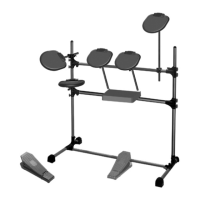
Electronic Drum Kit
Quick Start Owner’s Manual

Table of Contents

Question and Answer IconNeed help?

Do you have a question about the ION Electronic Drum Kit and is the answer not in the manual?

Summary

CHAPTER 1: INTRODUCTION

1.4 10 STEPS TO INSTANT GRATIFICATION (SETUP AND CHECKOUT)

Quick start guide for initial setup and basic operation.

CHAPTER 3: PLAYING BACK;RECORDING PATTERNS

3.1 I Record a Pattern

Step-by-step guide to recording new drum patterns.

CHAPTER 4: CREATING DRUM SETS

4.8 PAGE 8: SAVE DRUM SET (SAVE SET)

Storing custom drum sound setups.

CHAPTER 6: MIDI SETUP

6.1 PAGE 1: SELECT MIDI CHANNEL (MIDI CH)

Configuring the MIDI communication channel.

6.4 PAGE 4: ASSIGN MIDI NOTE NUMBERS TO DRUM PADS (NOTE)

Mapping MIDI notes to specific drum pads.

CHAPTER 7: BACKUP

7.1 BACKUP BASICS

Introduction to saving and loading data.

7.11 CLEAR MEMORY;RE-INITIALIZE PARAMETERS

Resetting the device to factory defaults.
Summary

CHAPTER 1: INTRODUCTION

1.4 10 STEPS TO INSTANT GRATIFICATION (SETUP AND CHECKOUT)

Quick start guide for initial setup and basic operation.

CHAPTER 3: PLAYING BACK;RECORDING PATTERNS

3.1 I Record a Pattern

Step-by-step guide to recording new drum patterns.

CHAPTER 4: CREATING DRUM SETS

4.8 PAGE 8: SAVE DRUM SET (SAVE SET)

Storing custom drum sound setups.

CHAPTER 6: MIDI SETUP

6.1 PAGE 1: SELECT MIDI CHANNEL (MIDI CH)

Configuring the MIDI communication channel.

6.4 PAGE 4: ASSIGN MIDI NOTE NUMBERS TO DRUM PADS (NOTE)

Mapping MIDI notes to specific drum pads.

CHAPTER 7: BACKUP

7.1 BACKUP BASICS

Introduction to saving and loading data.

7.11 CLEAR MEMORY;RE-INITIALIZE PARAMETERS

Resetting the device to factory defaults.

ION Electronic Drum Kit Specifications

General IconGeneral
BrandION
ModelElectronic Drum Kit
CategoryDrums
LanguageEnglish

Related product manuals