3
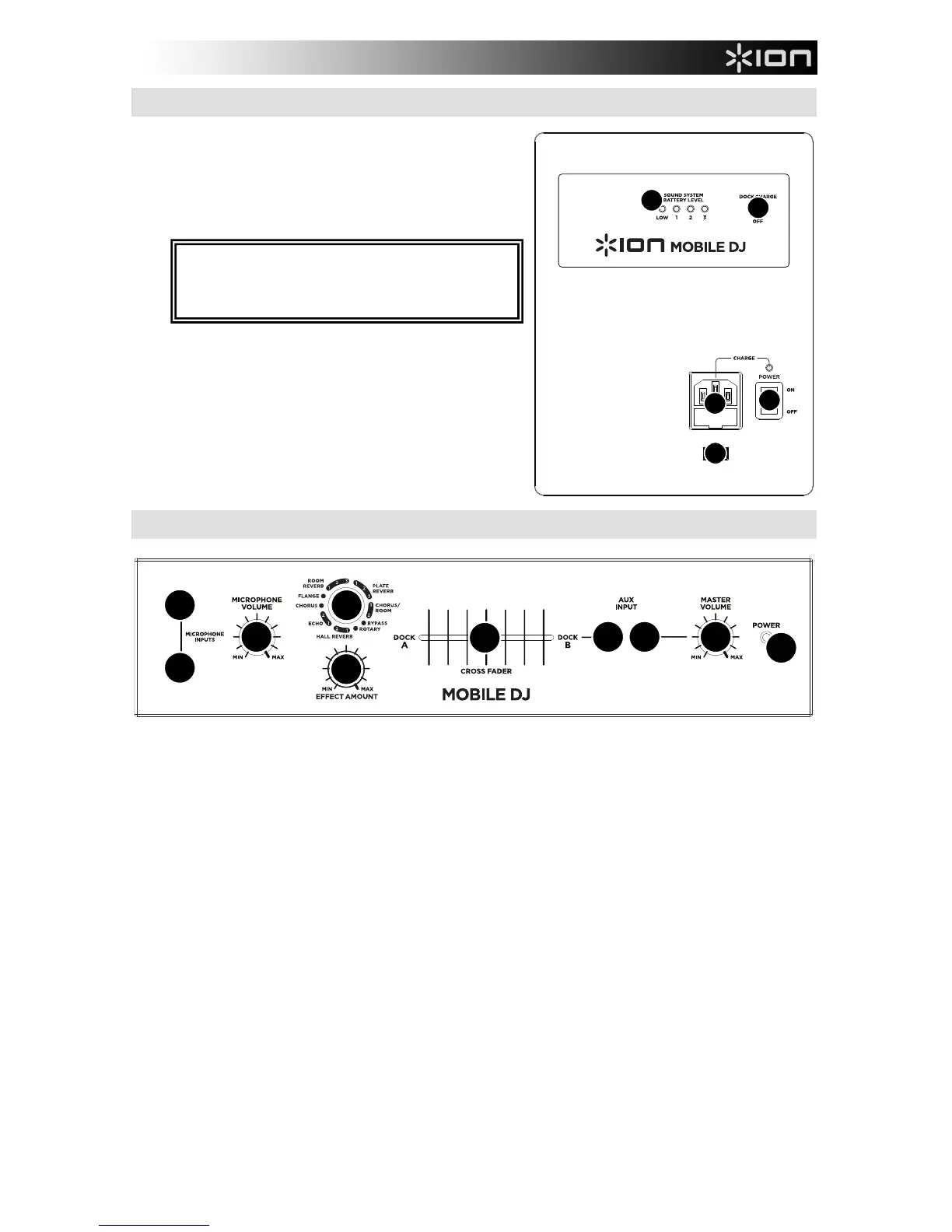
SIDE PANEL FEATURES
1. POWER IN (IEC) – Insert the included power cable here
and connect the other end to a power source, which will
simultaneously power and charge the unit. The charge
indicator will illuminate when the battery is charging.
2. VOLTAGE SELECTOR * – Set this to the correct voltage
for your location.
3. POWER SWITCH – Turns MOBILE DJ on or off. Please
note that while MOBILE DJ is connected to a power source,
the battery will charge.
4. BATTERY LEVEL INDICATOR – When the unit is on,
these lights indicate the remaining battery power. Battery
life varies based on volume and usage.
5. DOCK CHARGE SWITCH – To charge your iPod when the
unit is on, set this switch to the "charge" position.
TOP PANEL FEATURES
1
2
3 3
2
4 5
6
7
8
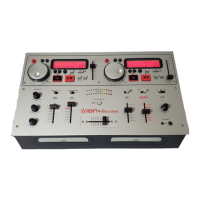
1. POWER LED – This light will illuminate when MOBILE DJ is on.
2. MICROPHONE INPUTS (1/4") – These 1/4" mono inputs can be used to connect a microphone to the unit.
3. AUX INPUT (STEREO RCA) – This stereo RCA input can be used to connect a CD, MP3, or other audio
source. To connect to a portable device with a 1/8" stereo headphone jack, use a standard 1/8"-to-RCA stereo
cable.
4. MICROPHONE VOLUME – This knob controls the volume of the MICROPHONE INPUTS.
5. MASTER VOLUME – This knob controls the MOBILE DJ's speaker volume.
6. CROSSFADER – Blends music playing between Docks A and B. Sliding this to the left plays Dock A; sliding to
the right plays Dock B.
7. EFFECT SELECTION KNOB – This knob selects which effect is applied to the MICROPHONE INPUTS. You
can choose from any one of the effects described in the EFFECTS section.
8. EFFECT AMOUNT – This knob controls how much of the selected effect you hear.
* WARNING: U.S. users should set this switch to "100-
120V" whereas U.K. and most European users should
set this to "220-240V." Selecting the improper voltage
can dama



 To Next Page