EasyManua.ls Logo

ION OMNI PLAY - User Manual

ION OMNI PLAY
20 pages
Print Icon
To Next Page IconTo Next Page
Loading...
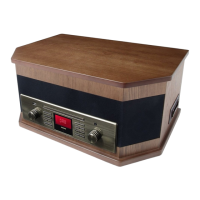
FOUR-IN-ONE MUSIC SYSTEM
OMNI PLAY
QUICKSTART GUIDE
ENGLISH ( 1 – 3 )
MANUAL DE INICIO RÁPIDO
ESPAÑOL ( 4 – 6 )
GUIDE D’UTILISATION RAPIDE
FRANÇAIS ( 7 – 9 )
KURZANLEITUNG
DEUTSCH ( 10 – 12 )
MANUALE RAPIDO DI UTILIZZAZIONE
ITALIANO ( 13 – 15 )
SNELSTARTGIDS
NEDERLANDS ( 16 – 18 )

Other manuals for ION OMNI PLAY

Questions and Answers

  • T
    Tammy GriffinJul 30, 2025
    What to do if I am not hearing any audio from my ION Turntable?
    • A
      Ashley BowenJul 30, 2025
      If you're not hearing any audio from your ION Turntable, first ensure the needle is correctly placed on the record. Also, verify that the turntable is properly connected to a functioning power outlet and that the power is switched on.
  • B
    Breanna KingAug 4, 2025
    Why is my ION Turntable music playing at a strange pitch?
    • A
      Aimee JonesAug 5, 2025
      If your ION Turntable's music is playing at a strange pitch, the incorrect speed may be selected. Ensure you are playing your records at the correct intended speed by selecting 33, 45, or 78 RPM.
  • L
    lewismarkAug 11, 2025
    What to do if I am experiencing poor sound quality on my ION Turntable?
    • N
      Natalie MurphyAug 11, 2025
      If you are experiencing poor sound quality with your ION Turntable, make sure the cartridge is securely connected to the tonearm. Also, try dusting off and gently wiping the surface of the vinyl record before playing it, as a dirty or scratched record can cause this issue.
  • C
    Christopher MillsAug 16, 2025
    What to do if my ION Media Converter music is playing at a strange pitch?
    • J
      Joseph BirdAug 17, 2025
      If your music is playing at an unusual pitch, the most likely cause is an incorrect speed setting on the turntable. Ensure you're playing your records at the correct speed by selecting the appropriate RPM (33, 45, or 78).
  • S
    Suzanne CummingsAug 23, 2025
    How to resolve poor sound quality on my ION Media Converter?
    • M
      Matthew GutierrezAug 23, 2025
      Poor sound quality can stem from a couple of issues. First, check that the cartridge is securely connected to the tonearm. The cartridge must be securely connected whenever you are using the turntable. Additionally, the vinyl record itself might be dirty or scratched. Try dusting off and gently wiping the record's surface before playing.

Summary

Quickstart Guide Overview

Rear Panel Features

Details the power cable input and antenna for radio reception.

Turntable Features

Describes the platter, transport screw, tonearm, and speed controls.

Tape Player and CD;Radio Controls

Tape Player Operations

Instructions for inserting, ejecting, and fast-forwarding cassette tapes.

CD Player and Radio Functions

Details on volume, function selection, CD tray, track display, and EQ buttons.

Troubleshooting Vinyl Playback

Audio and Sound Quality Issues

Addresses problems like no audio, poor sound quality, or incorrect pitch.

ION OMNI PLAY Specifications

General IconGeneral
Bluetooth ConnectivityYes
USB PlaybackYes
FM RadioYes
TypePortable Stereo System
CD PlayerYes
AM RadioYes

Related product manuals