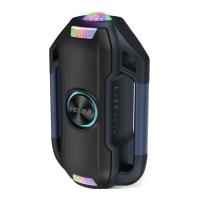
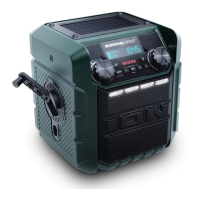
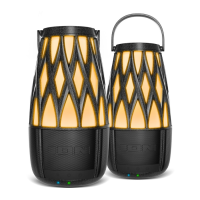
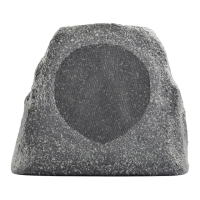
Linking two Solar Stones to each other for stereo sound:
Note:
Ensure that the speakers are not already Bluetooth connected in single mode. If either
of them is connected, hold the Bluetooth Connect button to disconnect and then follow the
steps below.
1.
Power on each Solar Stone by holding down their power buttons. You will hear “Power
On” for confirmation.
*
2.
Press the
Link
button on each Solar Stone. The speakers will search for each other while
playing an intermittent tone. Once the stereo pair is successfully linked, you will hear
“Pairing successful, connected” followed by “Left channel” and “Right channel” on the
respective speakers.
*
This process may take up to 2 minutes the first time two speakers are linked, but will only
take a few seconds if the speakers were previously linked.
Note:
Solar Stones should be within 30 ft. (9 m) of each other to Link properly.
3.
On the Left speaker, the
Bluetooth LED
will blink. Press the
Bluetooth Connect
button
to enter Bluetooth Pairing mode.
Note:
The Left speaker will be the “master” speaker, and the unit from which the
Bluetooth range will be determined.
4.
Navigate to your device’s Bluetooth setup screen, find
Solar Stone
, and connect. You
will hear “Connected” for confirmation.
*
Note:
If you experience trouble in connecting, select “Forget this Device” for
Solar Stone
on your Bluetooth device and try to connect again.
5.
To disconnect linking, hold the
Link
button on the “master” Solar Stone for 5 seconds.
You will hear “Disconnected” for confirmation.
*
6.
If your Bluetooth device is not able to connect to Solar Stone, hold the Bluetooth
Connect button on the speaker to break previous Bluetooth connections and reset the
Bluetooth module.
Note:
When two speakers are linked, hold the power button on the “master” speaker to
turn both speakers off. If you want to only turn off the “slave” speaker, press and hold the
power button on that speaker. The speakers will relink automatically the next time they
are both powered on.
* Tip:
If you would like to disable (or enable) the voice prompts, simultaneously press the
Bluetooth Connect and Link buttons.


 To Next Page