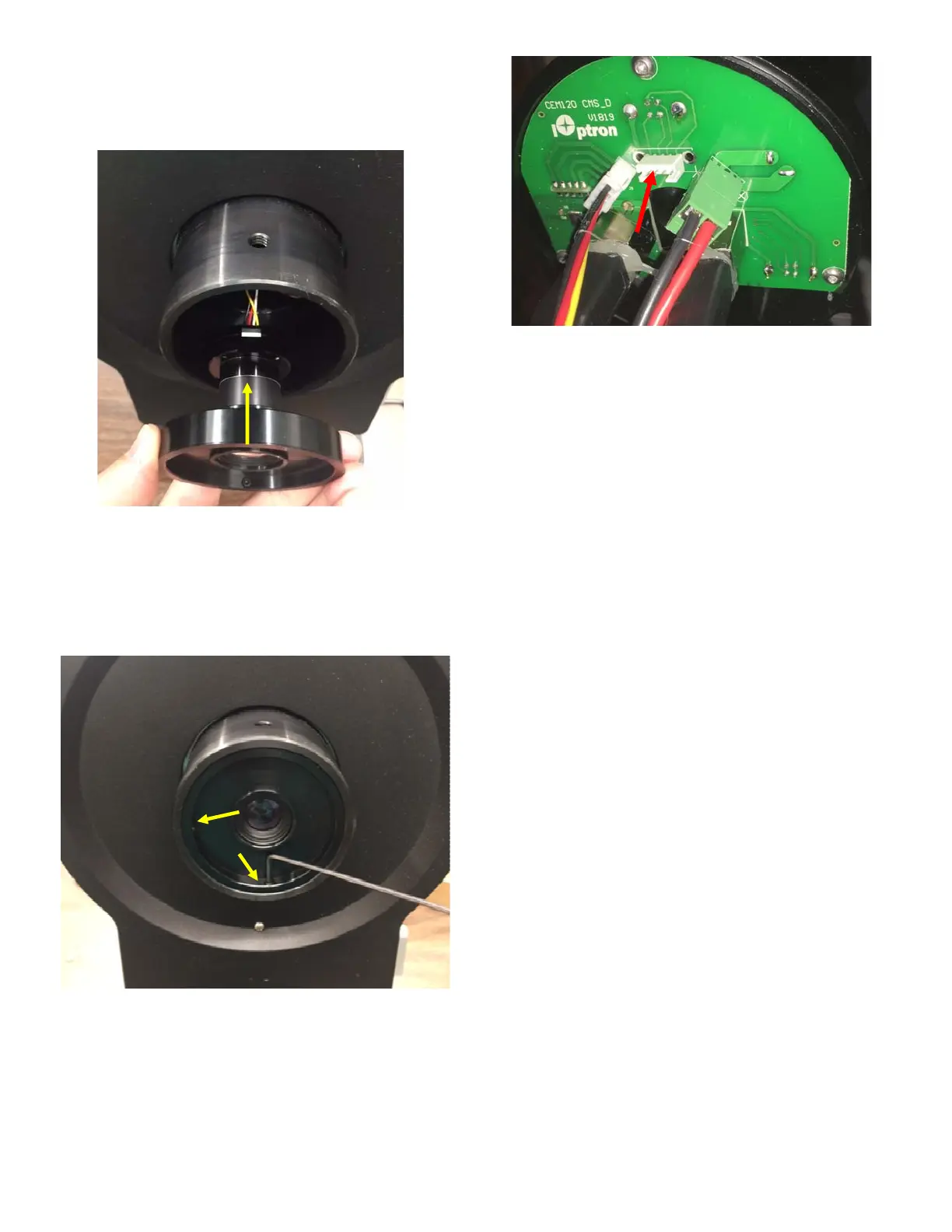
5. Plug the 4 wire cable to the iPolar. Insert it
into the CEM120 RA axle. You may use a
wire to pull the cable to the rear of the RA
axle.
6. Back out two set screw to make sure they
do not stick out of the outside ring. Psuh the
iPolar into the RA axle. Tighten two set
screws on iPolar CEM120 adapter to
secure the iPolar inside the RA axle. Do not
over tighten the screws.
7. Plug the 4-wire cable into iPolar socket on
the CMS_D board.
8. Replace the panel and counterweigh shaft
house.


 To Previous Page
 Loading...