5
FEATURE FUNCTIONALITY
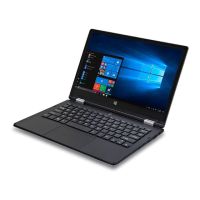
1. DC-In socket Connect the supplied power adapter to charge the battery
2. USB port Connect USB devices
3. Mini HDMI port
Connect HD television via optional Mini HDMI cable and switch the display to a wider
screen (Not Included)
4. Camera Capture pictures and video
5. Power light/Charging Indicator Indicates the battery-charge status
6. Caps Lock Indicator Indicates when all letters are capitalised
7. Num Lock Light Indicates that you can use the numeric keypad on the keyboard
8. Microphone Records sounds. Provides sound input while making calls using web-based applications
9. Power Button Turns device On/Off
10. Windows
®
Button Displays Start Menu
11. Precision Touchpad Functions like a computer mouse
12. Audio/Microphone port
(3.5 mm)
Connect a headset, headphones, microphone, or other audio equipment, to listen to
stereo sound, record audio, or make web phone calls
13. USB port Connect USB devices
14. Micro SD card slot Reads and writes files stored on a MicroSD Card
iOTA_FLO_UK_GER_FR_GUIDE.indd 5 14/06/2019 14:23



 To Next Page