How to quickly access Device Manager (Method #2):
Press Windows+R on your keyboard.
Type cmd and press Enter to run Command Prompt.
Type devmgmt.msc and press Enter.
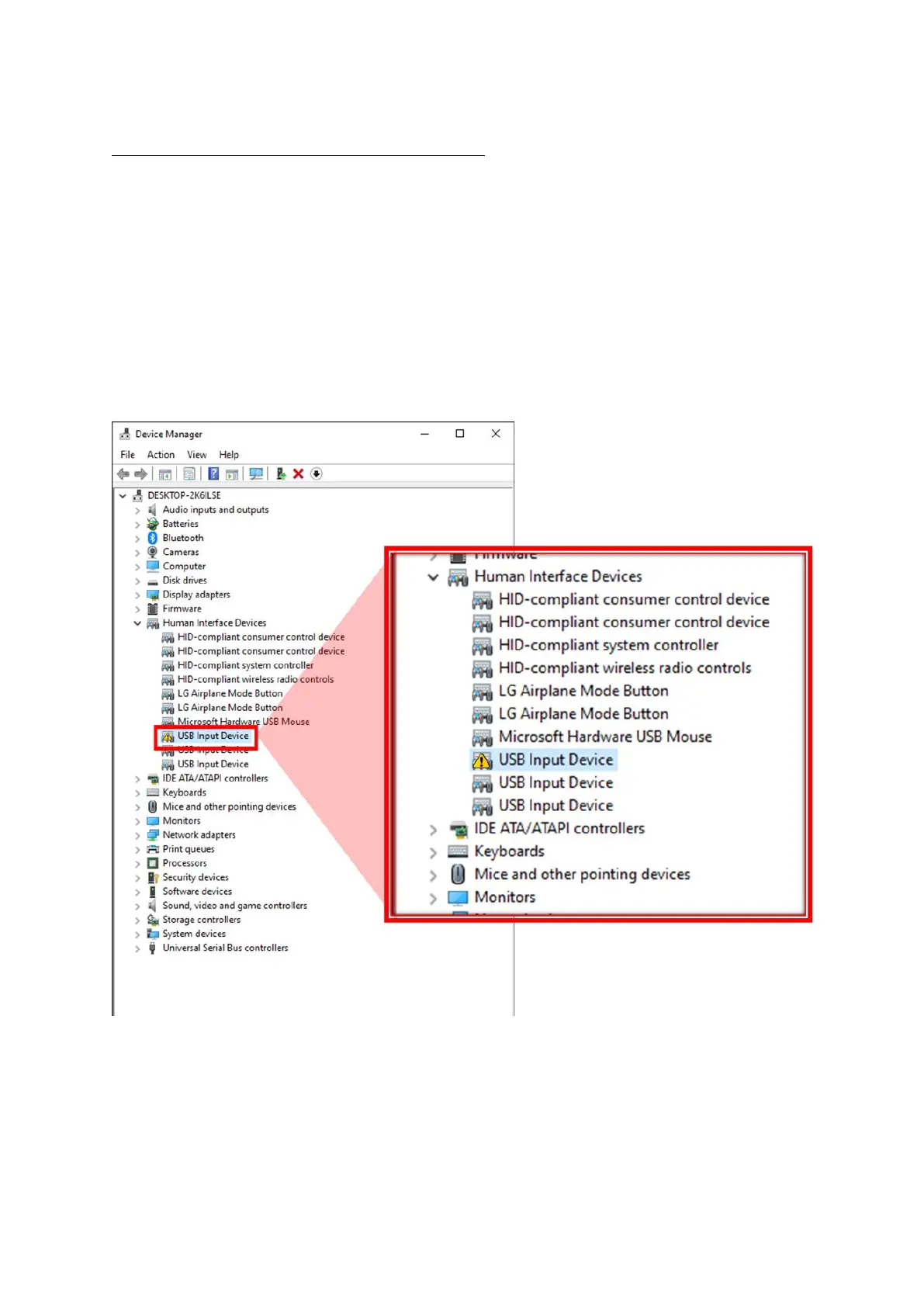
From the Device Manager screen, look for Human Interface Devices.
Check if a USB Input Device with error (yellow triangle) is indeed a D’CENT device:
Right Mouse Click on this device and select Properties.


 To Next Page