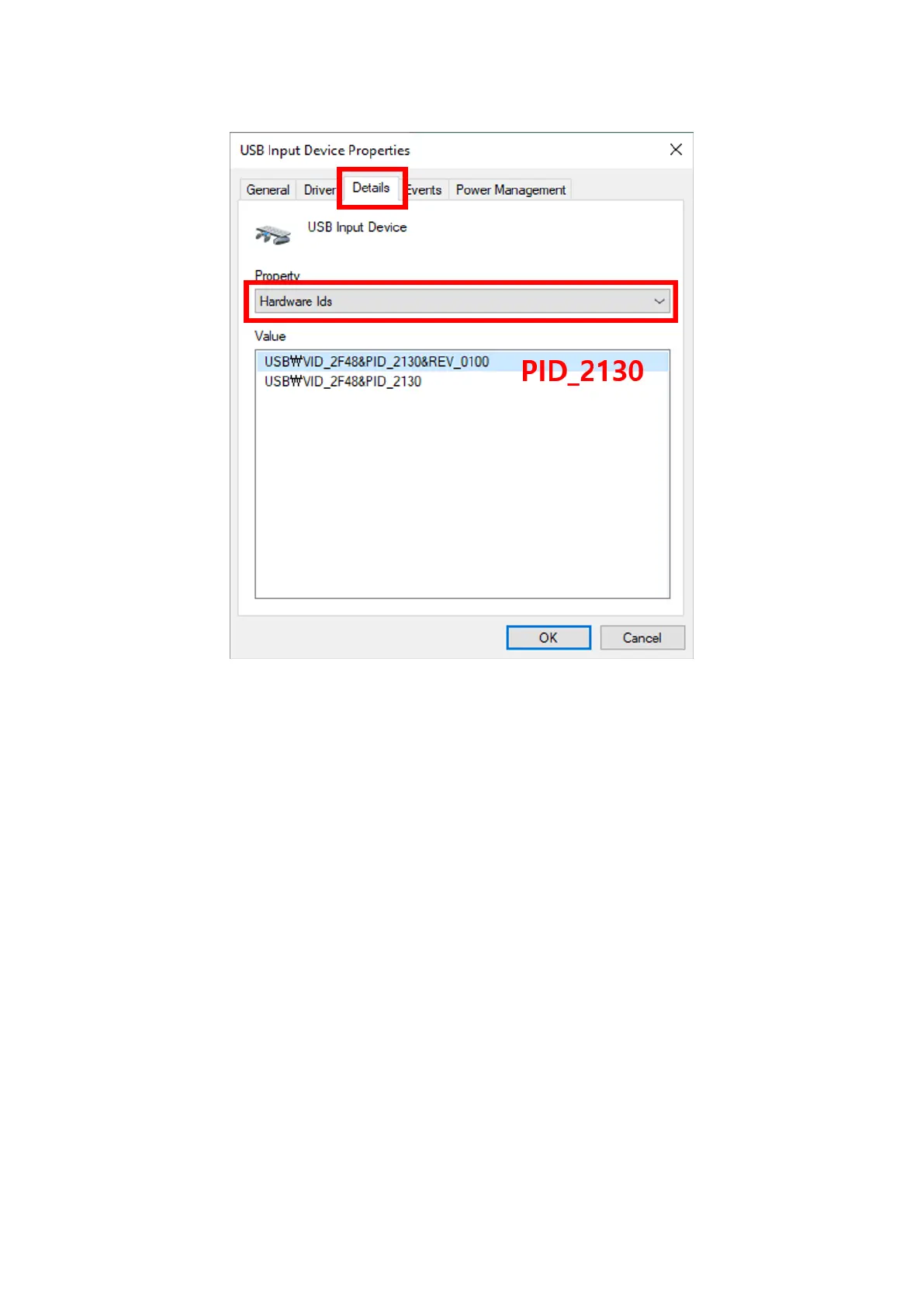
From the USB Input Device Properties window, select Details.
Under Property, choose Hardware Ids.
Correct device ID for D’CENT is PID_2130.
Right Mouse Click on USB Input Device with error and select Uninstall device.
Next, Right Mouse Click on Human Interface Devices and select Scan for hardware changes, this
will reinstall the driver to correctly recognize the D’CENT wallet. Try updating the firmware again.


 To Previous Page