
 Need help?
Do you have a question about the iOttie iON Wireless Go and is the answer not in the manual?
Information on devices compatible with Qi Wireless charging technology.
How to wirelessly charge your smartphone using the device's Qi coil.
Details on simultaneous fast charging via USB-C and USB-A ports.
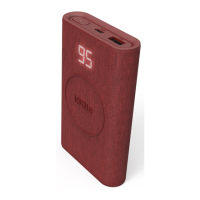
Explanation of how the LED light indicates the device's charge level.
 General
| Shape | Rectangle |
|---|---|
| Product color | Gray |
| LED indicators | Status |
| Housing material | Fabric |
| Charger compatibility | Mobile phone/Smartphone |
| Power bank & device charging at once | Yes |
| Number of simultaneously connected devices (max) | 3 |
| Charging source | USB |
| Battery capacity | 10000 mAh |
| Battery technology | - |
| Input current | 1.5 A |
| Input voltage | 12 V |
| Total output power | 18 W |
| Port 1 output current | 1 A |
| Port 2 output current | 2.4 A |
| Port 3 output current | 2 A |
| Input interface | USB Type-C |
| USB Type-A output ports | 1 |
| Harmonized System (HS) code | 85078000 |
 Weight and Dimensions
| Width | 72 mm |
|---|---|
| Height | 22 mm |
| Weight | 225 g |

 To Next Page