▶
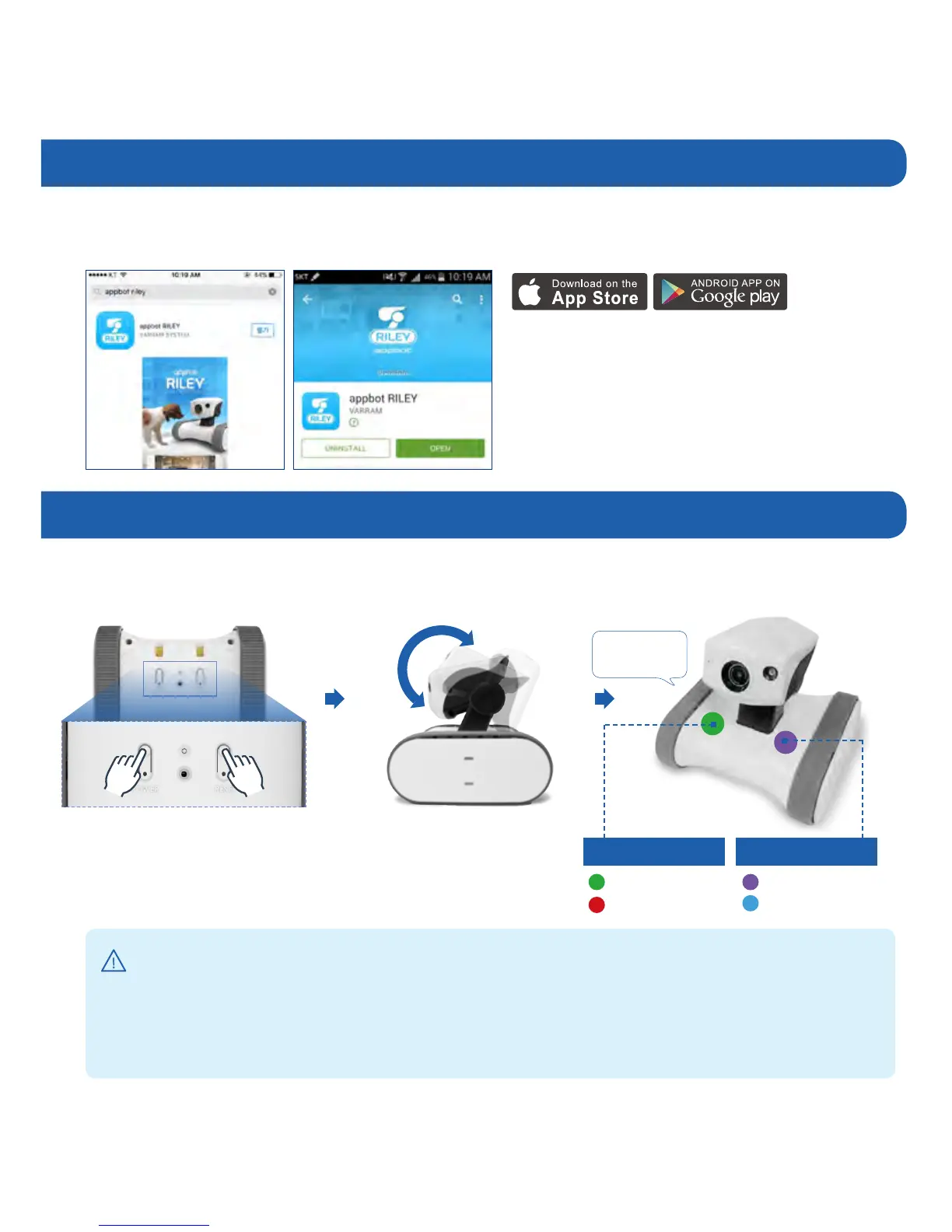
Search and install the “Appbot Riley” from the Google “Play Store” or Apple “App Store”
on your smartphone.
1)
Install Application
< Installable OS version>
•GoogleAndroid:
4.3
or later
•
AppleiOS:
8.0
or later
•NotsupportedonPCorlaptop
2)
Reset the Riley
▶
Press the POWER and RESET buttons at the same time for more than
3
seconds and release
them. Riley will say “I’m Ready.”
Function LED
PowerON Charging
Nobattery
Charging complete
Charging LED
Power Reset
I’m ready!
!
Useful Tips
•PleaseconnecttheAppbotRileywithhomewirelessrouterwhichisinstalledathomeafter
confirming the password.
•PleasechargeAppbotRileybeforeuse.
•RedLEDindicateslackofbattery,BlueLEDindicatesRileyischargingcomplete.



 To Next Page