5)
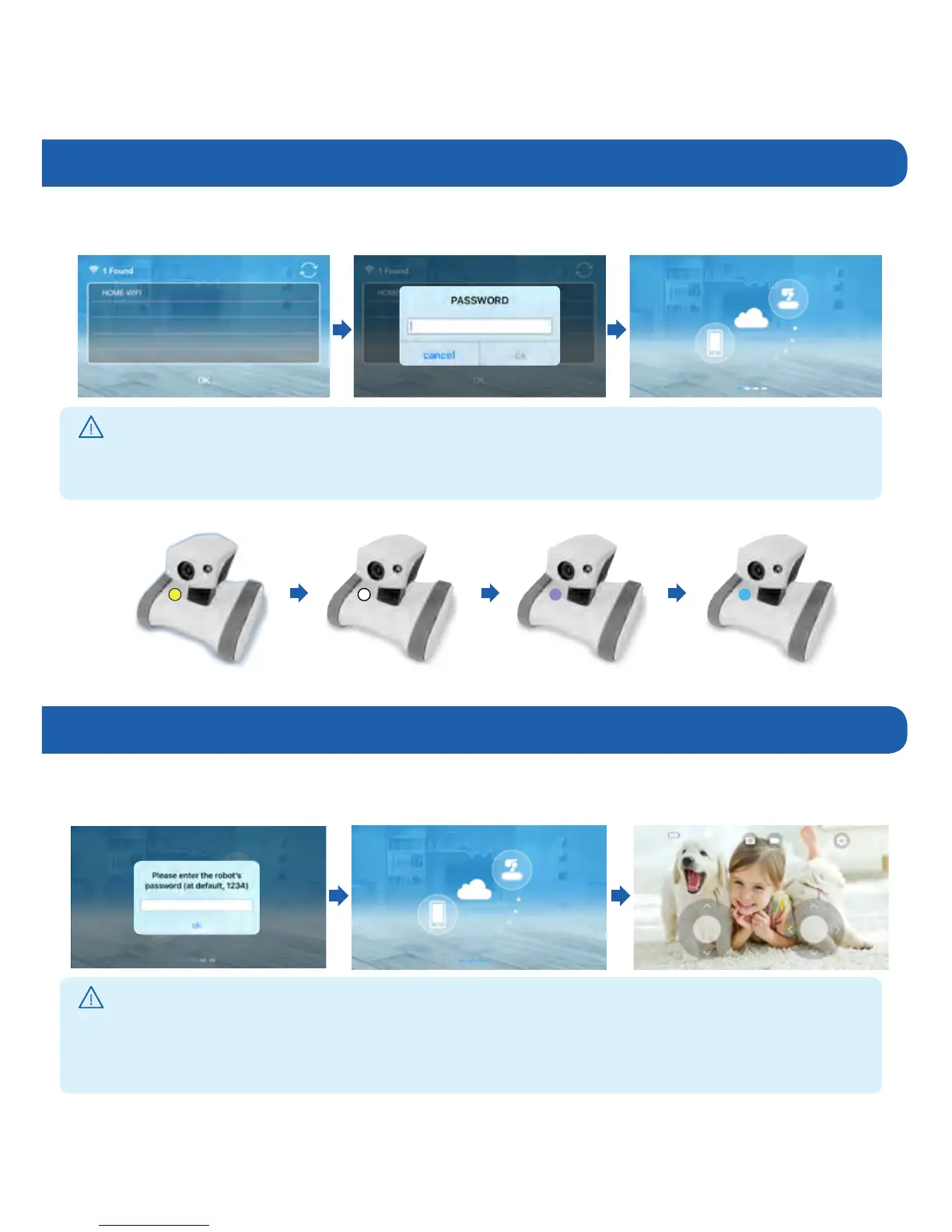
Connecting to Home Wi-Fi
6)
Enter the Riley Password
▶
Wait for Riley to say “I’m ready.”
Then
enterthepassword.(Defaultpasswordis“
1234
”)
▶
Select your wireless router and press “OK.” Please enter the password of the wireless router.
Connect with router
!
Useful Tips
!
Useful Tips
•WhenyouenterWiFipassword,besuretoentersmallandcapitallettersrespecively.
•Whenpasswordisnotsetontherouter,clickOKbutton.
•Forsecurity,pleasechangetheRiley'spasswordafterfinishinginstallation.
•TotemporarilyturnofftheRiley,pressPOWERbuttononly.
•PressRESETbuttontore-install.
Robot LED status while connecting to the internet
Connect with internet Connect with server Successfully connected



 To Next Page