Quick Start Guide / Schnellstart Anleitung / Guía de inicio rápido / Quide de Démarrage Rapide / Guida Rapida
English / Deutsch / Español / Français / Italiano
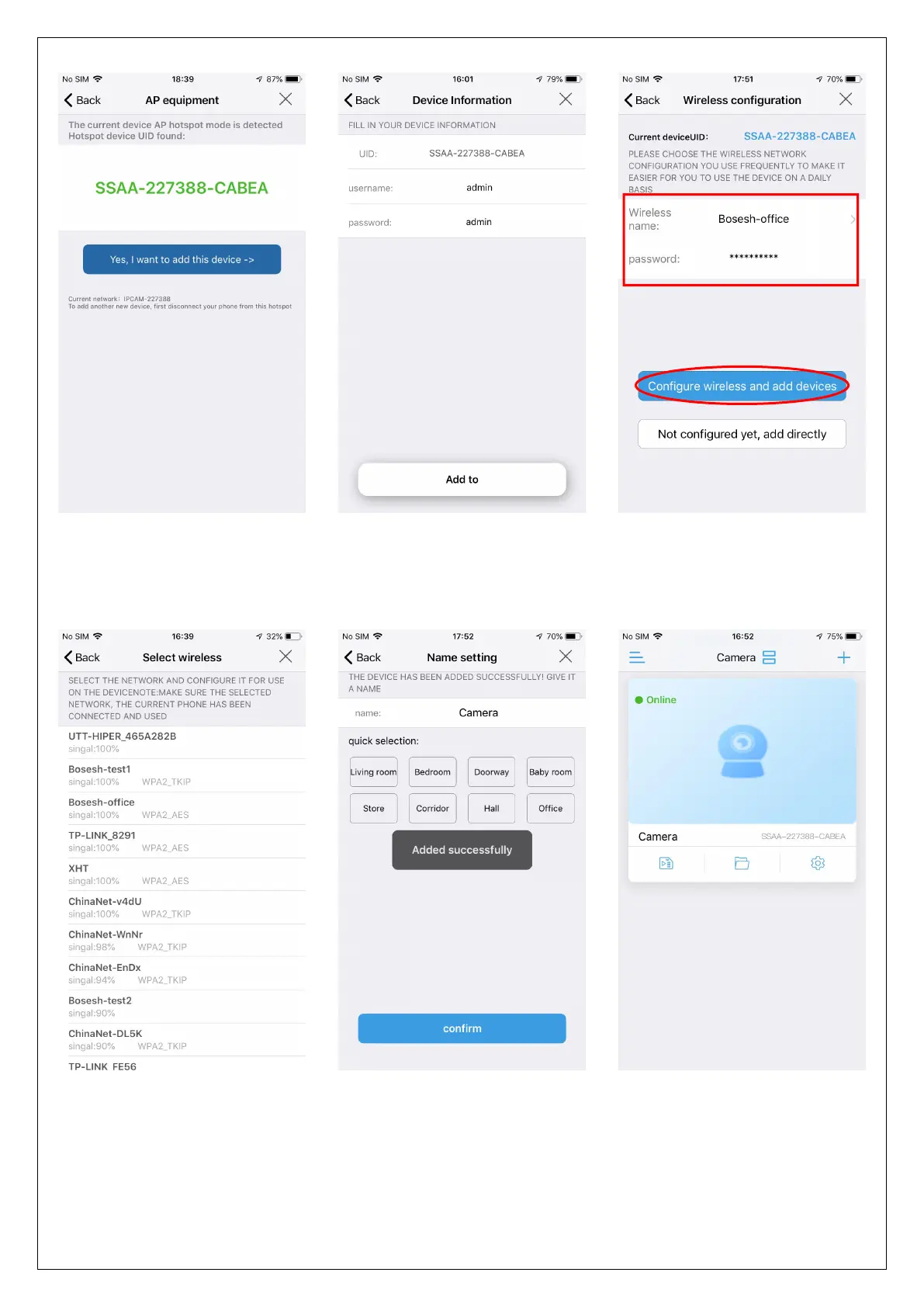
When the Wi-Fi connection is successful, you will hear the sound "ding..." from
camera, if not, please check your Wi-Fi password and reconfigure.
Click "Yes, I want to add
this device"
Choose your Wi-Fi and
enter the password, then
click "Configure wireless
and add devices"
Find your Wi-Fi and make
sure its signal is higher than
70%
Name the camera and
click "confirm"
Camera is added, click the
online camera to watch



 To Next Page