Quick Start Guide / Schnellstart Anleitung / Guía de inicio rápido / Quide de Démarrage Rapide / Guida Rapida
English / Deutsch / Español / Français / Italiano
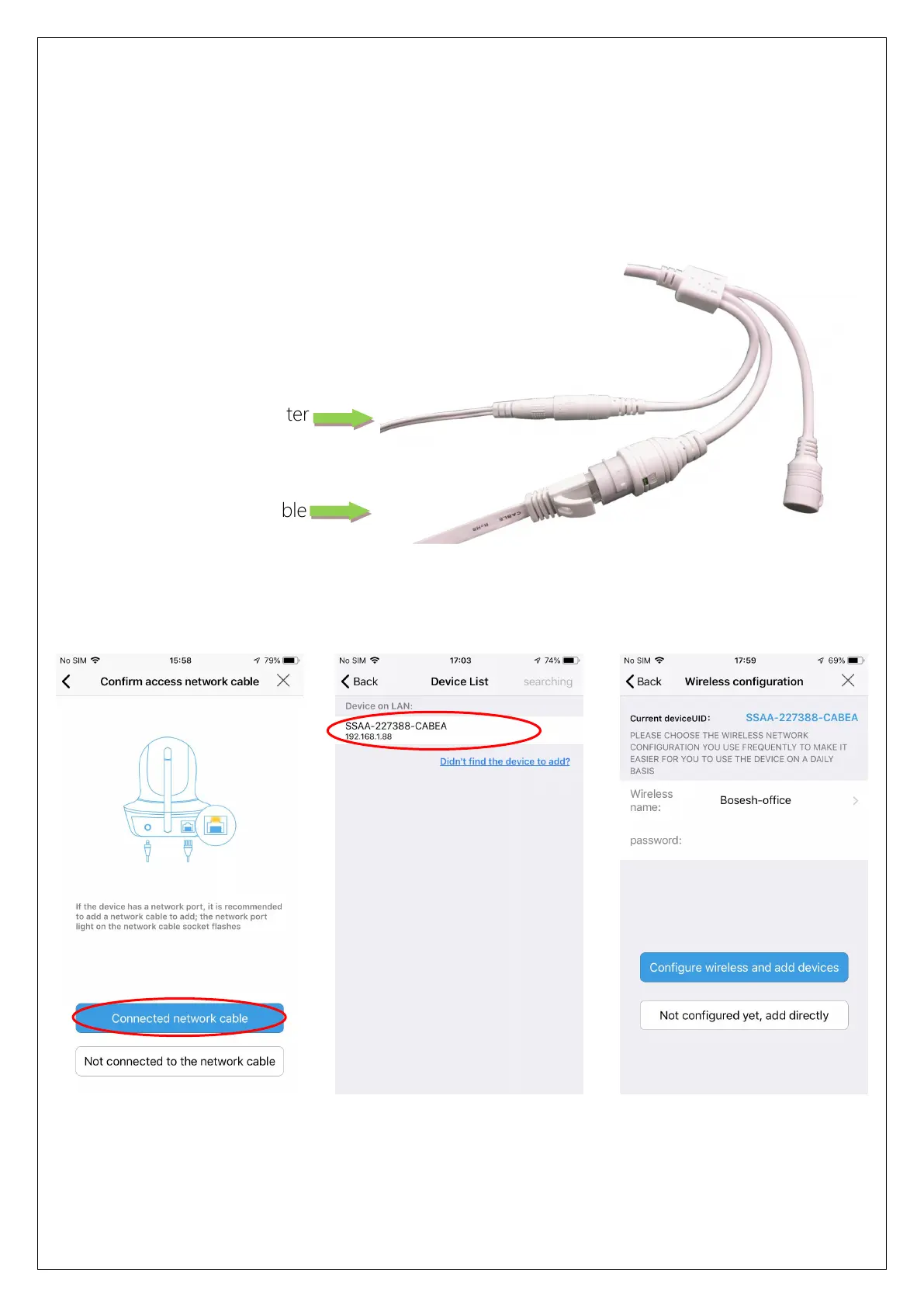
Method 2: Connect with network cable
Connect the power and network cable to the camera, make sure that the camera
and mobile phone are in the same local area network, and both can be connected
to the Internet.
Run APP and click "Add Camera"-"IP camera"-"New device"-"Power is on, next
step" until "Confirm access network" page, then follow the steps below:
If you want to use a network cable to connect, please click "Not configured yet,
Click "Connected network
cable"
Find the camera and click
on it
Choose whether to configure
Wi-Fi and finish it


 To Next Page
 Loading...