Quick Start Guide / Schnellstart Anleitung / Guía de inicio rápido / Quide de Démarrage Rapide / Guida Rapida
English / Deutsch / Español / Français / Italiano
add directly" and continue.
If you want to change to Wi-Fi connect, please click "Configure Wi-Fi and add
devices" and continue, when the configure is finished, you need to unplug the
network cable to activate Wi-Fi.
Watch on Computer
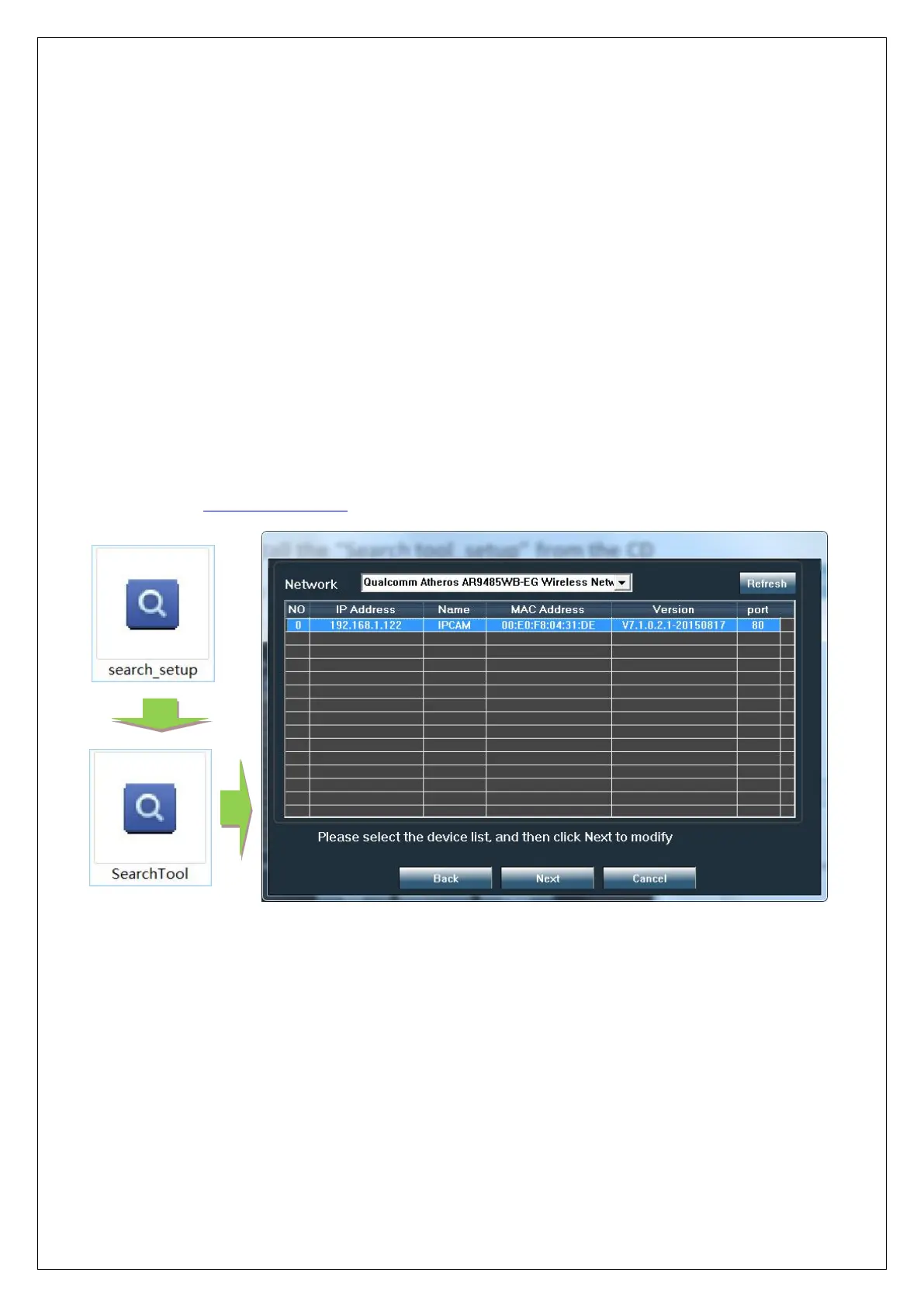
"Search tool"
Install the "Search tool" from CamHi IP camera product information, you can
download it at www.ipcam.xin.
The search tool can help you find cameras in the LAN and modify the IP address
of the camera if it does not match your network.
Web access
Double-click the camera in the search tool to open the camera web page.


 To Next Page
 Loading...