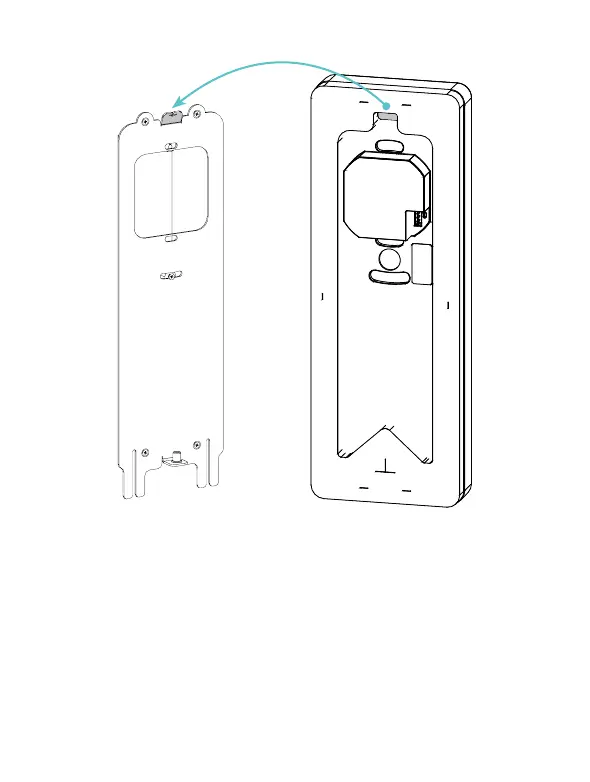
• Completa el cableado del dispositivo antes de continuar con el
siguiente paso.
• Inserta el videoportero paralelo a la pared hasta que sientas el
contacto entre las dos listones resaltados en la figura.
• Complete the device wiring before proceeding to the next step.
• Insert the door station parallel to the wall until you feel the contact
between the two slats highlighted in the figure.
6.


 To Next Page