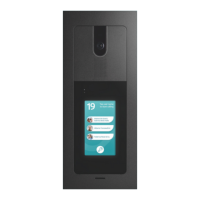
No presionar
en la pantalla
Do not press on
the screen
2.
1.
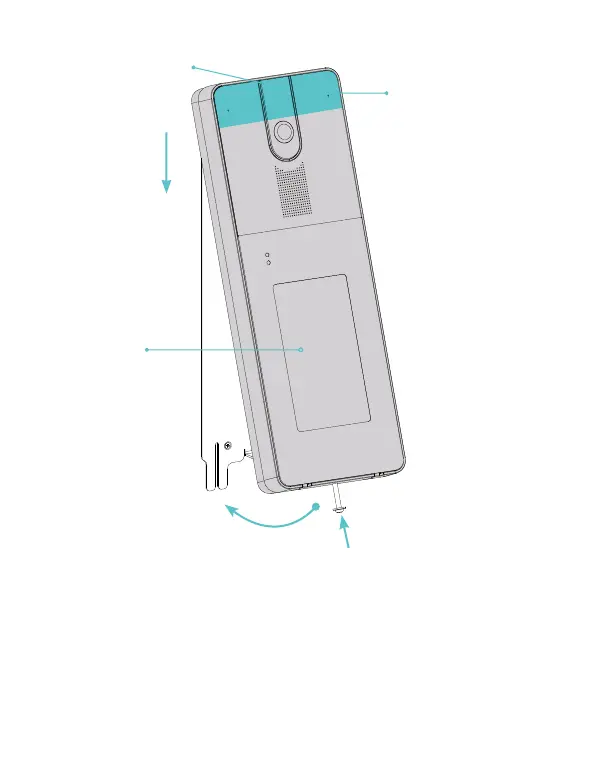
Área de presión
Pushing area
NB. Al enganchar (3),
comprobar que el
tornillo esté
completamente
extraído.
When hooking, check
that the screw is
completely extracted.
3.4.
(1) Inclina ligeramente el videoportero y presiona, en el área resaltada
en la figura, comprimiendo la junta hasta que escuches el acoplamiento
entre las dos hojas. (2) Desliza el videoportero ligeramente hacia abajo.
(3) Gira la parte inferior hasta que quede alineada con la pared.
(4) Enrosca el tornillo de bloqueo para completar la instalación.
(1)Slightly tilt the door station and press, in the area highlighted in the
figure, compressing the gasket until you hear the coupling between the
two blades. (2) Slide the door station slightly downwards. (3) Rotate the
lower part until it aligns with the wall. (4) Screw in the locking screw to
complete the installation.
7.


 To Next Page
 Loading...