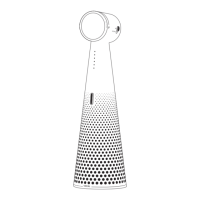
Need help?
Do you have a question about the Ipevo VC-A10 and is the answer not in the manual?
Connect the VC-A10 speakerphone to your computer using the USB-C cable.
Select VC-A10 as the microphone and speaker within your conferencing application.
Mute/unmute mic with a short press; enable/disable AI noise reduction with a 3-second press.
Use the +/- buttons to control the speaker volume.
Understand LED colors for mic status, AI noise reduction, and unmuting.
Avoid using or storing the product in hot, humid, sandy, or dusty environments.
Explains FCC compliance, operational conditions, and user responsibilities regarding interference.
Details the presence of restricted substances in product components according to chemical symbols.
Displays various certifications like FCC, CE, UKCA, and RoHS compliant marks.
Lists the product name, model number, and input power requirements.
Indicates that the product is made in China.

 To Next Page
 General