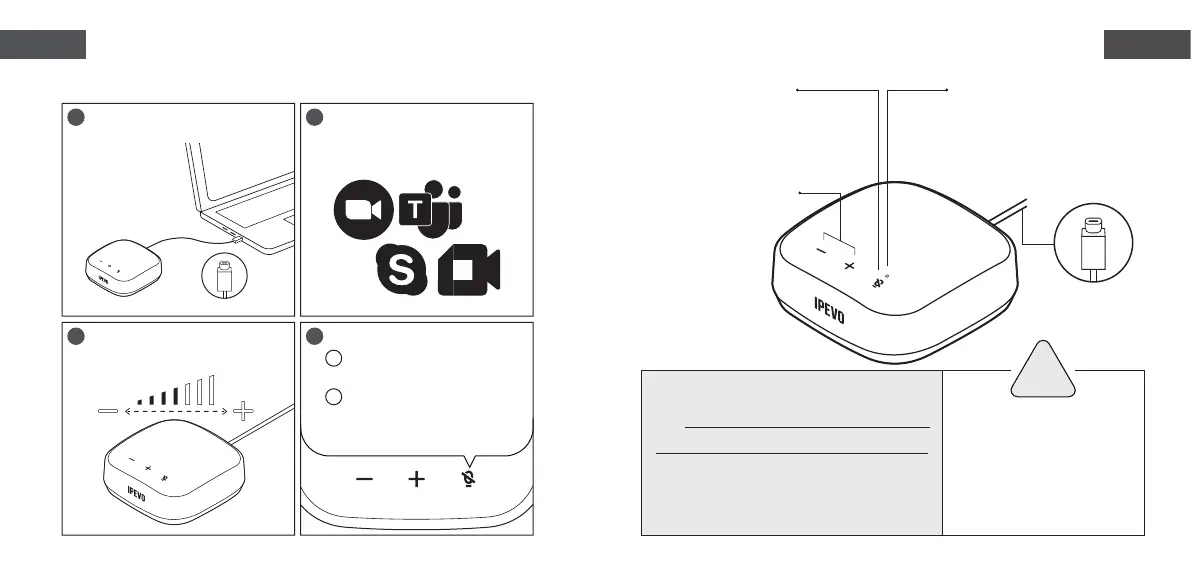
Connect VC-A10 to a computer via
the USB-C cable.
Adjust the volume of the speaker
by pressing the +/- buttons.
Mute/Unmute
Enable/Disable AI noise
reduction (enabled by default).
Within a conferencing app,
choose VC-A10 as the designated
microphone and speaker.
Hybrid conferencing with Get to know your
IPEVO VC-A10
IPEVO VC-A10
USB Portable Speakerphone
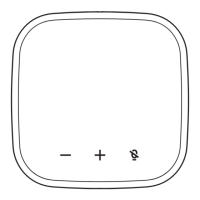
Microphone button
Press once to mute/unmute the
microphone.
Press for 3 seconds to enable/
disable AI noise reduction.
Speaker volume +/-
USB-C Cable
Do not use/store the product in
the following places:
Near heat sources
Highly humid places
Sandy or dusty places
・
・
・
Caution
!
For a full user manual, FAQ & tech support,
visit www.ipevo.com/products/vc-a10/support
All trademarks, logos, and brands are the
property of their respective owners and are
used for identification purposes only.
*
LED indicator
Red = Microphone muted
Green = AI noise reduction ON
Off = Mic unmuted with AI noise
reduction OFF
・
・
・
・
・
1
3 4
2
A
B
EnglishEnglish


 To Next Page