LED Illumination - Manual Trigger
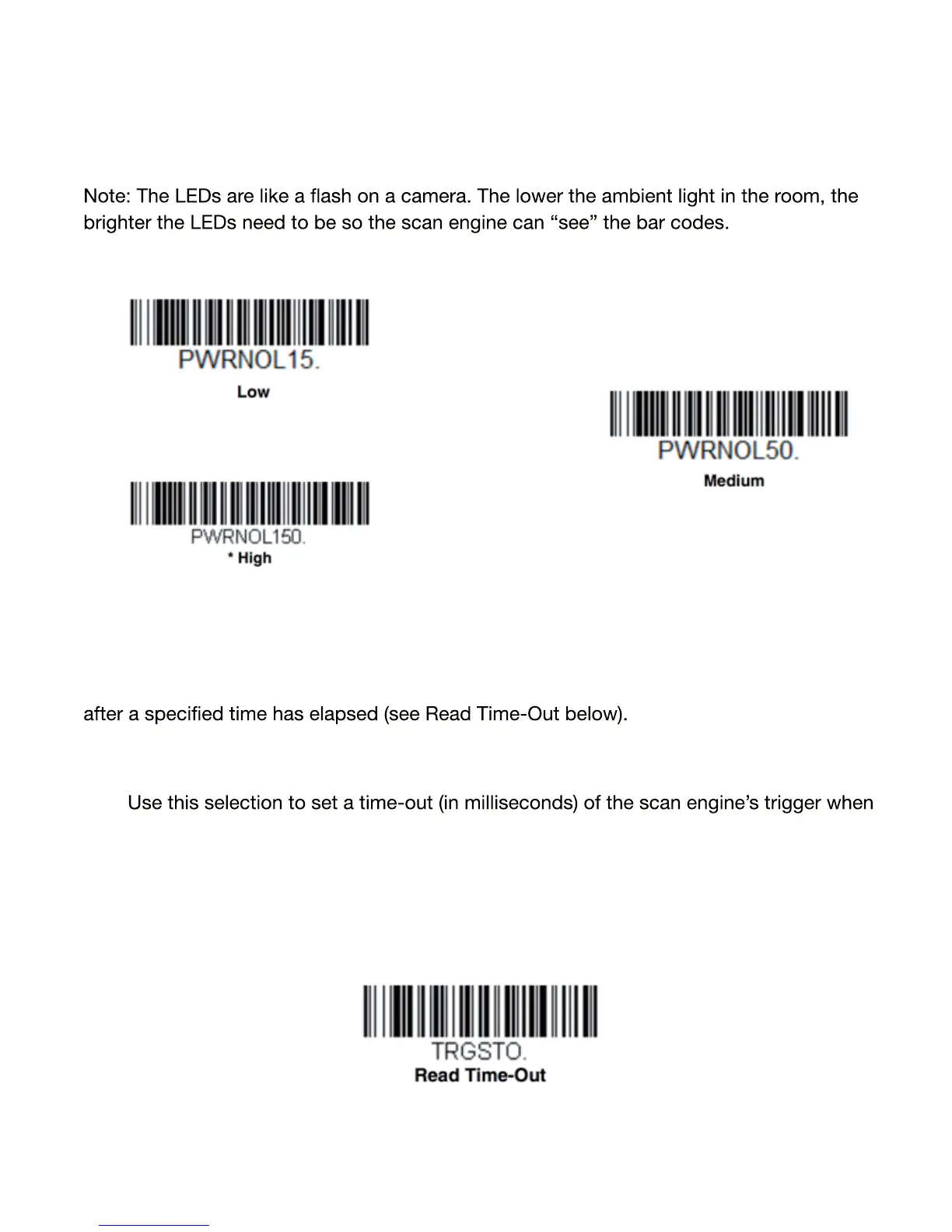
If you wish to set the illumination LED brightness, scan one of the barcodes below. This
sets the LED illumination for the scanner when the trigger is pressed. Default = High.
Serial Trigger Mode
You can activate the scanner by pressing the scan button(s). When in serial mode, the
scanner scans until a barcode has been read. The scanner can also be set to turn itself o
Read Time-Out
using serial commands to trigger the scan engine. Once the scan engine has timed
out, you can activate the scan engine either by pressing the trigger or using a se rial
trigger command. After scanning the Read Time-Out barcode, set the time-out
duration (from 0-300,000 milliseconds) by scanning digits barcodes on the Program
ming Chart at the end of this chapter, then scanning Save. Default = 30,000 ms.
27


 To Next Page
 Loading...