If you are having trouble connecting the camera, you may
need to do a reset.
Reset
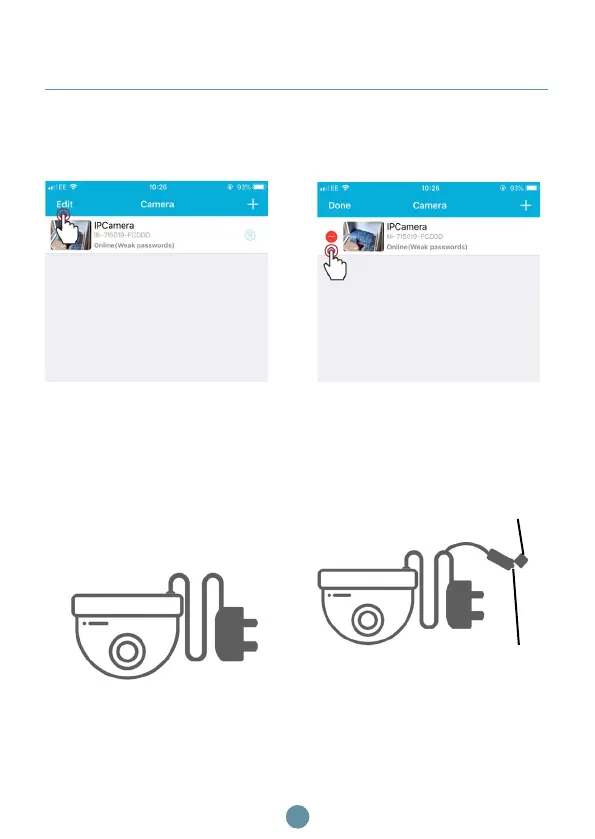
Go to the camera section on
the ipixo app to delete the
camera. Click Edit.
Then click the minus icon
of the camera you want to
delete.
Ensure the camera is
plugged into the mains
Remove the cap from the
reset button and press for
15-20 seconds
Step 1
Step 3
Step 2
Step 4
9
Cap
Press this
button



 To Next Page