V1 mini series server instruction manual
- 15 -
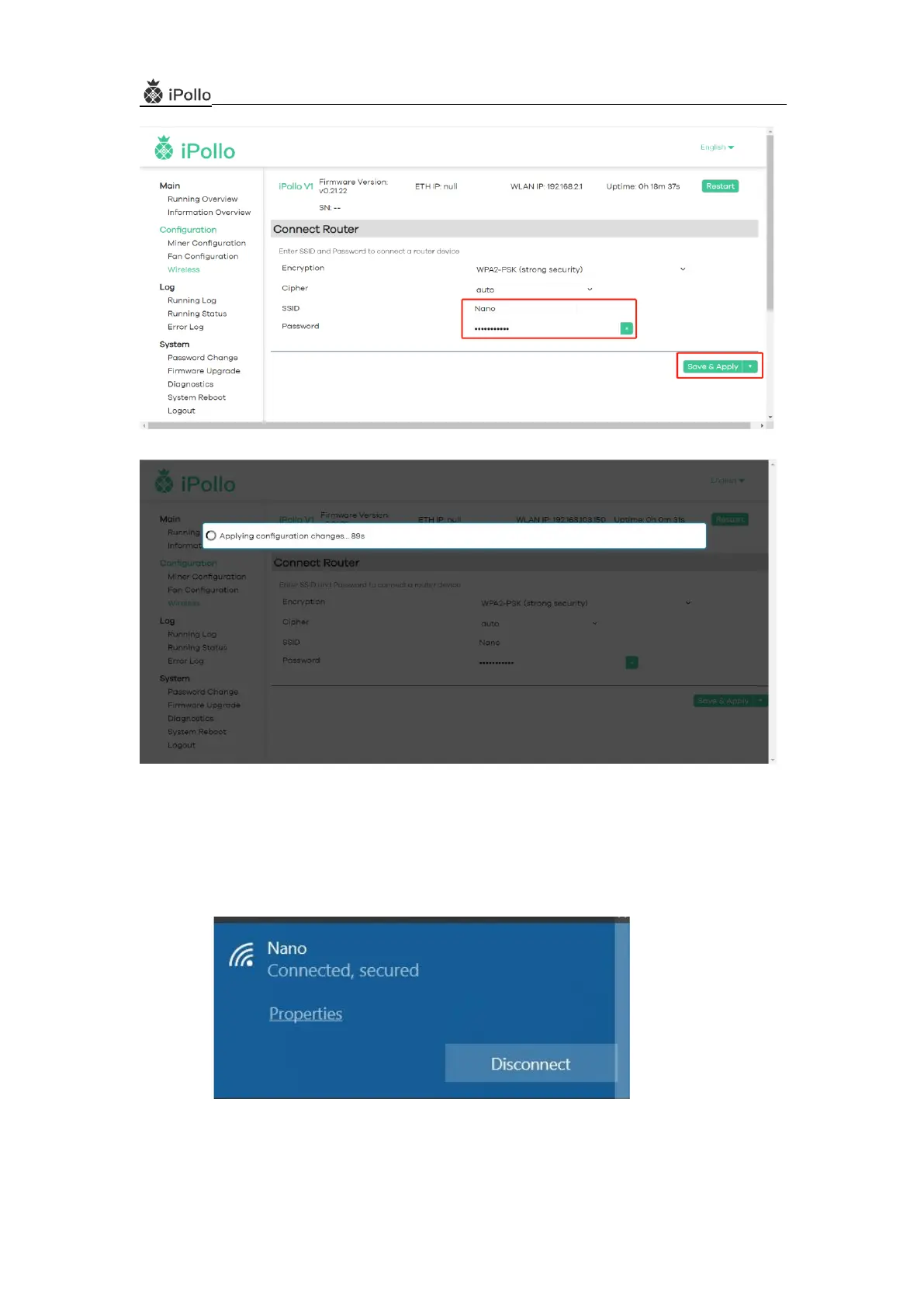
(6) After the application, the server needs to be powered off and restarted;
(7) The laptop is connected to the wireless signal "Nano (the network of the environment where the
computer belongs)"
(8)Open the showIP tool, and press the "IP report" button of the server to obtain the new IP address of
the server, which is the IP of the WiFi setting.


 To Next Page