NBN
Now that you're connected to the nbn
TM
, you'll need to change the way your
phone connects. Your phone will not work with the standard phone socket, your
phone will work on the internet- its called VoIP.
You will receive a SMS from us, letting you know your phone service is active.
Follow the instructions below to connect your phone, it's important that you
power the modem o and on for your phone to congure.
Step 4 Phone service is active
Switch the modem o
for 2 minutes and turn it
back on.
It takes about 10 minutes
for the WAN internet and
VoIP lights to switch on.
You are now ready!
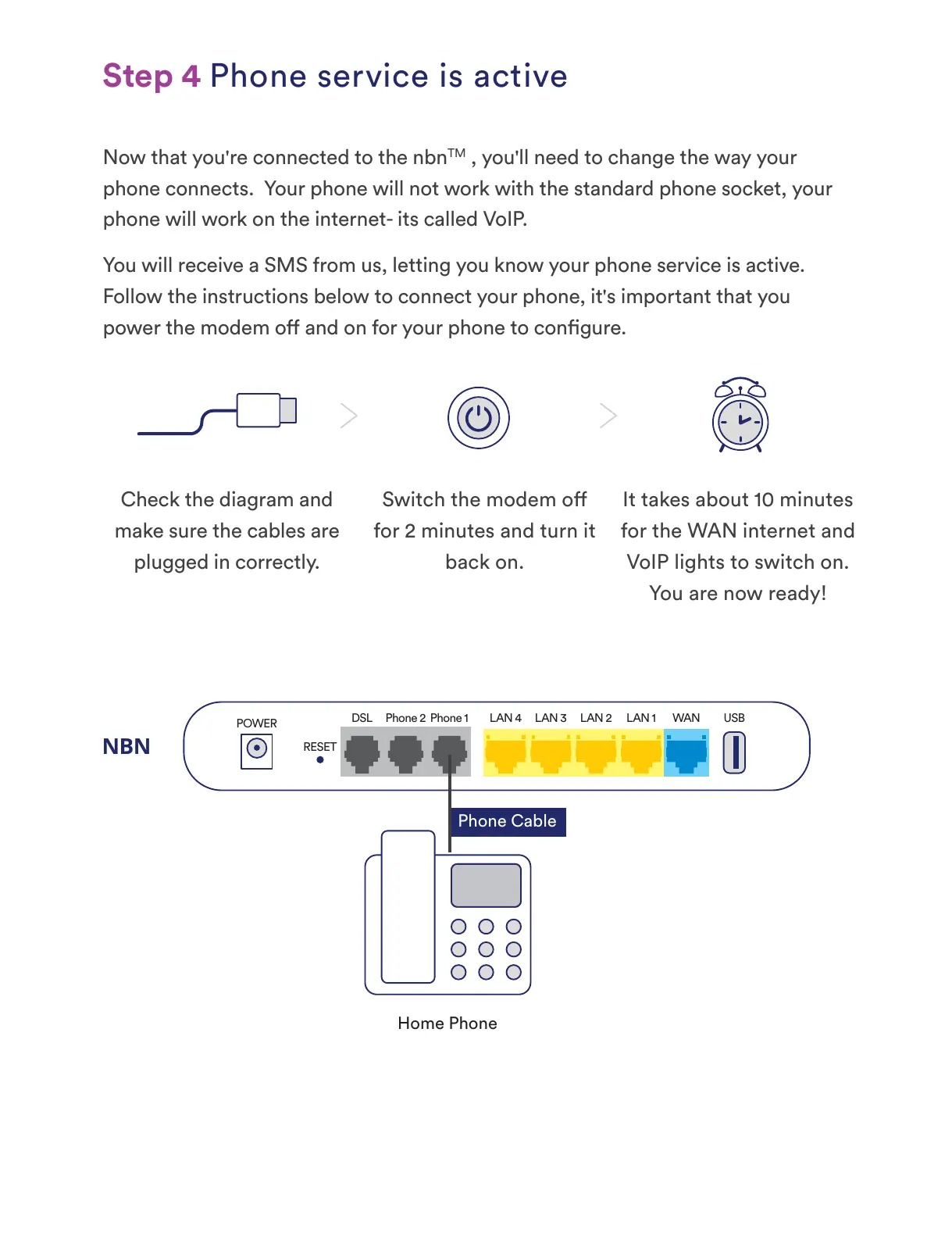
Check the diagram and
make sure the cables are
plugged in correctly.
Phone Cable
POWER
DSL Phone 2 Phone 1 LAN 4 LAN 3 LAN 2 LAN 1 WAN USB
RESET
Home Phone


 To Next Page