11
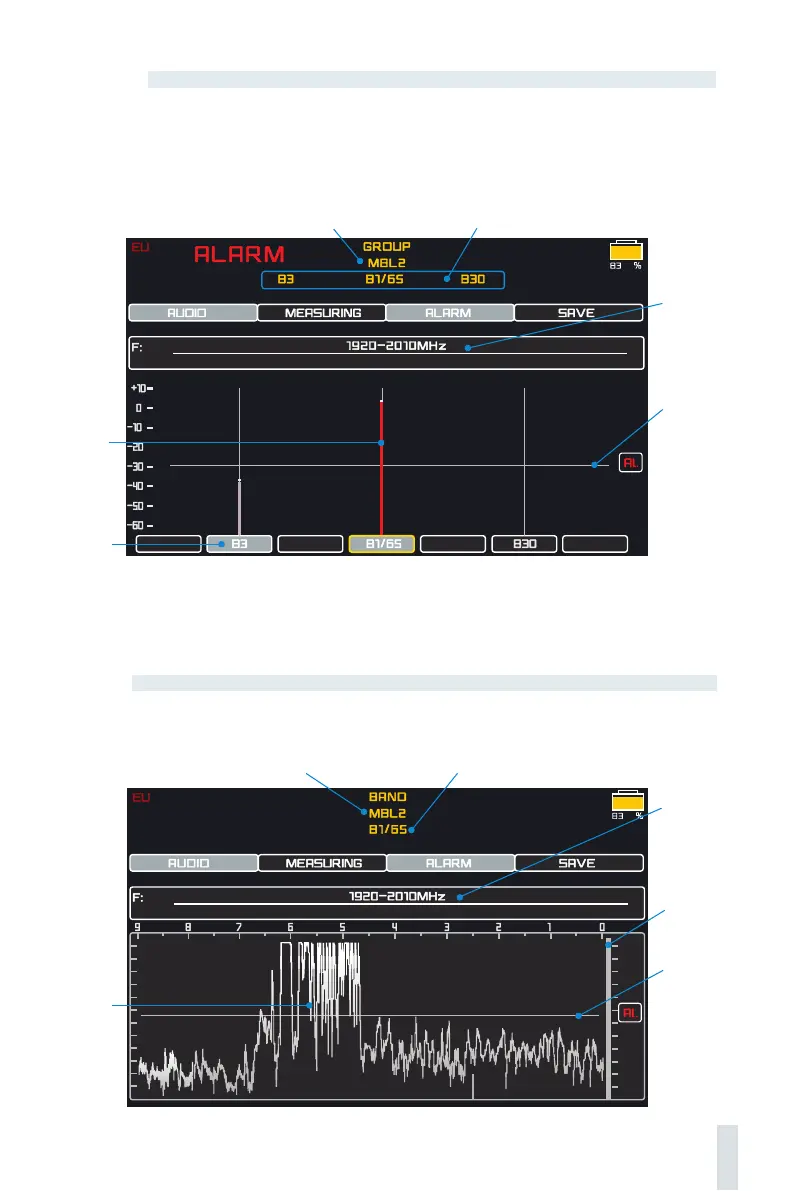
The level
bargraph
The selected group
The band
The alarm threshold can be adjusted, and the ALARM and AUDIO functions can be switched on.
A subsequent pressing of the joystick button selects the BAND mode where a band can be
inspected
Bands of the selected group
The alarm
threshold Al.
The frequency
of the selected
band
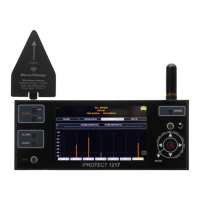
BAND
In this mode, the signal is measured in one band only. Use it in order to explore a certain band
and to perform a physical search of the transmitter.
The group The band
Histogram
The frequency
of the selected
band
The level
bargraph
The alarm
threshold Al.
GROUP
This is used for inspection of the bands in a certain group, for example, when a high level of
signal has been detected. The bands are displayed at the bottom of the screen, and the signal
levels by bands – on the bargraphs. By pressing the joystick to the left and right, the user can
choose a band and see its frequency.


 To Next Page