EasyManua.ls Logo

iProven DMT-116A - User Manual

Default Icon
10 pages
Print Icon
To Next Page IconTo Next Page
Loading...
- 3 -
Contents
1. Safety Instructions and Precautions ........................................4
2. Purpose of the Device.......................................................................5
2.1 Description of the Device ............................................................5
2.2 Description of the Display ..........................................................5
3. Setup Instructions ..............................................................................6
3.1 First use ...............................................................................................6
3.2 Replacing the Batteries ................................................................6
4. Operating Instructions ....................................................................6
4.1 Precautions for Accurate Measurements ..............................6
4.2 How to Correctly perform an Ear Measurement................6
4.3 How to Correctly perform a Head Measurement ..............7
4.4 Memory Retrieval ...........................................................................8
4.5 Switch between Fahrenheit and Celsius ...............................8
4.6 Automatic Power-O ....................................................................8
5. Measurement Results .......................................................................8
5.1 Room Temperature Measurement ..........................................8
5.2 Out-of-Range Temperatures ......................................................8
5.3 Interpreting the Measurement Results .................................9
6. Cleaning ...................................................................................................9
7. Storage ......................................................................................................9
8. Troubleshooting ................................................................................10
9. Technical Information ......................................................................10
10. Warranty ...............................................................................................11
Warning: device damage or injuries may be the result
of incorrect usage of this product. Please follow the
instructions of this manual carefully.
Electrical waste materials should be sent to dedicated
collection points for recycling.
Important: incorrect usage or damage of the product
may lead to inaccurate readings.
Question and Answer IconNeed help?

Do you have a question about the iProven DMT-116A and is the answer not in the manual?

Summary

Safety Instructions and Precautions

Purpose of the Device

Description of the Device

Details the physical components of the thermometer, including sensor and buttons.

Description of the Display

Explains the icons and indicators shown on the thermometer's LCD screen.

Setup Instructions

First Use

Instructions for initial setup, including battery tab removal.

Replacing the Batteries

Step-by-step guide for changing the device's batteries.

Operating Instructions

Precautions for Accurate Measurements

Essential tips to ensure accurate temperature readings from the device.

How to Correctly Perform an Ear Measurement

Detailed steps for taking a temperature reading using the ear canal.

How to Correctly Perform a Head Measurement

Guide on how to perform an indicative temperature measurement using the forehead.

Memory Retrieval

Instructions on how to access and view previously stored measurements.

Switch Between Fahrenheit and Celsius

Steps to change the temperature display unit between °C and °F.

Automatic Power-off

Information about the device's auto shut-down feature.

Measurement Results

Room Temperature Measurement

How to measure ambient room temperature with the device.

Out-of-Range Temperatures

Explains error codes and indications for temperatures outside the device's measurement range.

Interpreting the Measurement Results

Guide to understanding temperature readings based on display color and values.

Cleaning

Storage

Troubleshooting

Technical Information

Warranty

Overview

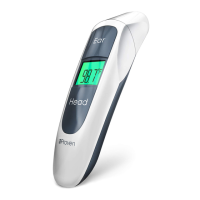
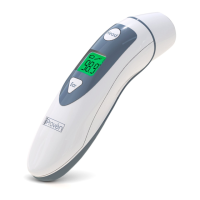
The iProven DMT-489 is a dual-mode infrared thermometer designed for home use, offering both ear and forehead temperature measurement capabilities. It is intended for measuring human body temperature based on heat radiating from the eardrum or the forehead. While clinically tested for safety and accuracy, it is not meant for professional medical use.

Function Description

The thermometer features an infrared sensor for temperature detection. For ear measurements, the sensor cap must be removed to expose the probe, which is then gently inserted into the ear canal, aiming towards the eardrum. For adults, the ear should be pulled backward and upward to straighten the canal, while for children aged 6 to 12 months, the outer ear should be pulled straight backward. Ear measurements are not suitable for children under 6 months; for this age group, the forehead mode or a rectal thermometer is recommended.

For forehead measurements, the sensor cap remains in place. The sensor is aimed at one temple, and the head button is held down while the sensor is moved across the forehead to the other temple. The button is released once the sensor reaches the other temple. Forehead measurements provide an indicative reading, which can fluctuate up to 1.0 °F / 0.5 °C from actual body temperature. It's important to touch the skin lightly during forehead measurements to avoid inaccurate results.

The device includes an LCD display that shows the measured temperature, ambient temperature, and indicators for ready-for-measurement, memory, head-function, ear-function, and battery status. It can display temperatures in either Celsius or Fahrenheit, which can be switched by holding the ear button for 7 seconds when the device is off.

The thermometer has a memory function that stores up to 20 successful measurements, including the temperature and the type of measurement (ear, head, or room). To retrieve stored data, the ear button is held for 4 seconds when the device is off.

The device can also measure room temperature between 32 °F and 89.5 °F (0.0 °C and 32 °C) or 108 °F and 212 °F (42.2 °C and 99.9 °C) by pressing the ear button once, ensuring a distance of at least 3 feet (1 meter) from any object.

An automatic power-off feature turns the thermometer off after 10 seconds of inactivity to conserve battery life.

Usage Features

To ensure accurate readings, several precautions must be observed:

  • The thermometer lens must be clean.
  • If the device is moved to a new location with a different room temperature, it should be allowed to adjust for at least 30 minutes before use.
  • Ears should be clean, as earwax can affect accuracy.
  • Measurements should be taken in a closed room without strong breezes or drafts.
  • The ear or head should not have been covered by hair or a hat for 5 minutes prior to measurement.
  • Intense emotions or strenuous physical exertion before a measurement can impact accuracy.
  • The thermometer should not be held for more than three minutes, as it is sensitive to heat and prolonged handling can lead to inaccurate results.

The display uses color-coded indications for temperature readings:

  • Green (86-95.7 °F / 30-35.4 °C): Indicates hypothermia, requiring immediate medical consultation.
  • Green (85.8-96.7 °F / 35.3-35.9 °C): Indicates decreased temperature; lower morning temperatures are normal, but if feeling cold, a hot shower is suggested.
  • Green (96.8-99.6 °F / 36.0-37.5 °C): Indicates normal body temperature.
  • Red (99.7-100.3 °F / 37.6-37.9 °C): Indicates increased temperature; rest is advised if not feeling well.
  • Red (100.4-101.3 °F / 38-38.5 °C): Indicates light fever; regular temperature checks and rest are recommended. Medical consultation is advised if the fever worsens or lasts more than three days, and immediate consultation for babies under 6 months.
  • Red (101.4-103.9 °F / 38.6-39.9 °C): Indicates fever; medical consultation is advised, especially if the fever lasts more than one day.
  • Red (104 °F / 40 °C and higher): Indicates high fever, requiring immediate medical consultation or a visit to the emergency ward.

Error codes "L" or "H" accompanied by beeps and a red display indicate out-of-range temperatures. "L" means the measurement is below 32 °F (0 °C), and "H" means it exceeds 212 °F (100.0 °C). Other error codes like "ER1" (room temperature out of range) or "ERC" (EEPROM data error) also trigger a red backlight and beeps. A low-voltage signal indicates that the battery voltage is low and batteries need replacement.

Maintenance Features

  • Cleaning: The thermometer sensor should be regularly cleaned with a damp cloth lightly moistened with water. For disinfection, a disinfecting wipe or a cotton ball damped with a disinfectant can be used on the sensor probe. It is crucial to keep ear canals clean to prevent the sensor from getting stained.
  • Water Resistance: The thermometer is not waterproof and should not be immersed in water or exposed to any liquid other than a slightly damp cloth for cleaning.
  • Battery Replacement: The device uses two AAA batteries. To replace them, the battery cover is slid down and removed. The new batteries should be inserted according to the polarity markings in the battery chamber. The cover is then re-aligned and slid back up until it clicks into place. Before first use, a battery protection tab must be removed.
  • Storage: The thermometer should be stored at room temperature in its enclosed soft case to protect it from dust and bacteria. For optimal accuracy, both the thermometer and the user should be exposed to the same ambient temperature for at least 30 minutes before use. If the thermometer will not be used for more than 90 days, the batteries should be removed and stored separately to prevent damage.
  • Damage: The product should not be used if the temperature sensor shows any signs of damage. Users should not attempt to repair a damaged product but should contact customer support. The device is not designed to be impact- or shock-resistant, and twisting the thermometer or sensor should be avoided.
  • Electromagnetic Interference: The thermometer contains sensitive electronic components and should not be used near sources of electromagnetic interference, such as mobile phones or microwaves.
  • Disposal: Used products and batteries must be disposed of in accordance with local regulations and requirements, with electrical waste materials sent to dedicated collection points for recycling.

iProven DMT-116A Specifications

General IconGeneral
TypeDigital
Measurement Range32.0 °C to 42.9 °C (89.6 °F to 109.2 °F)
DisplayLCD
Auto Shut-offYes
WaterproofNo
Fever AlarmYes
Accuracy±0.1 °C (±0.2 °F)
Memory FunctionYes
Measurement SiteOral, Rectal, Axillary

Related product manuals