17
4
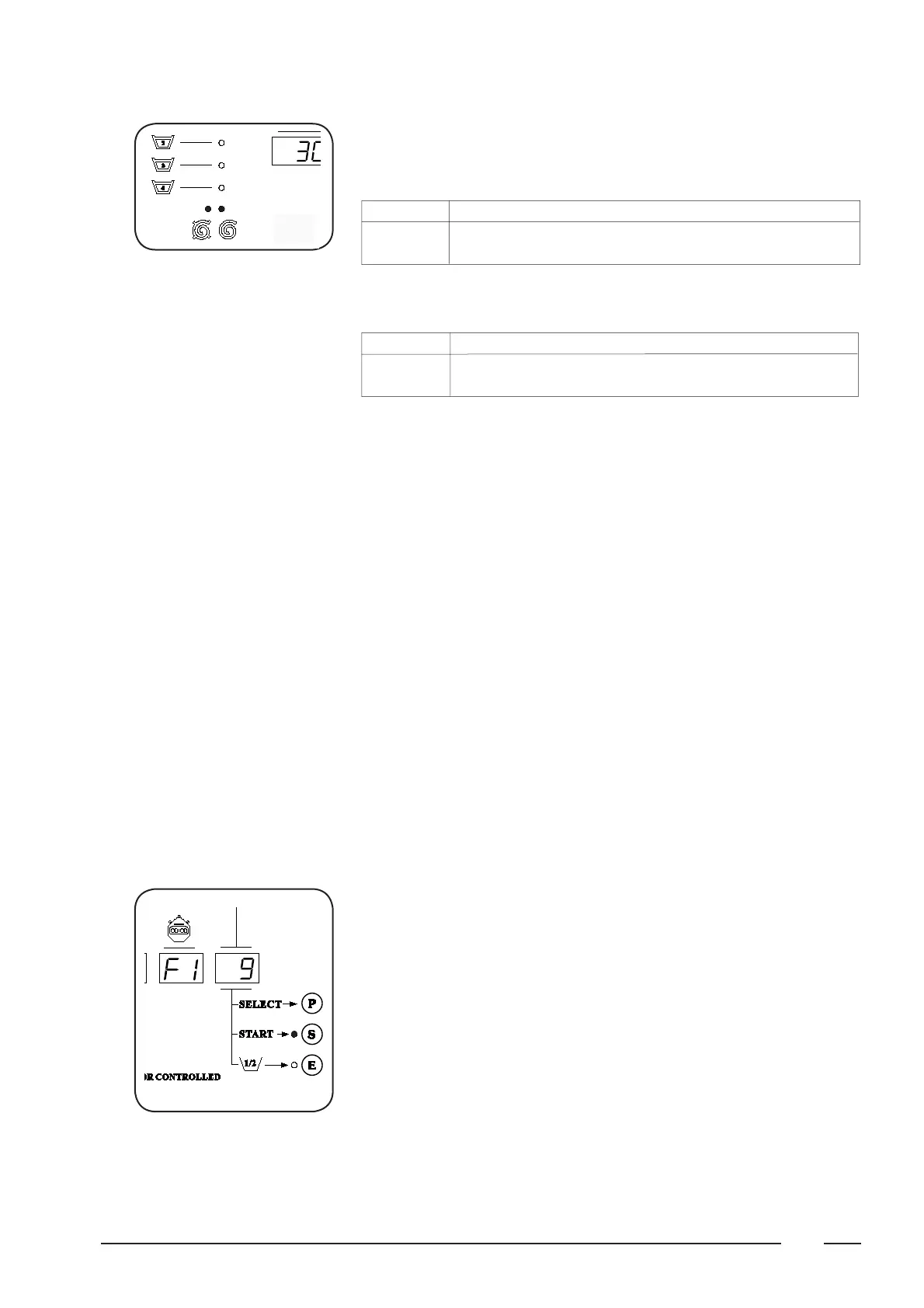
During fi nal spin, both the left spin-LED (intermediate spin) will light up together
with the right spin-LED (fi nal spin).
- Functioning of the spin-LED’s during fi nal spin:
LED drain/distribution low spin high spin coast tumble
Interm. spin blinking rapidly continuously slowly continuously off
Final spin continuously continuously slowly continuously rapidly
- Functioning of the spin-LED’s during gentle-fi nal spin:
LED drain/distribution low spin high spin coast tumble
Interm. spin blinking rapidly slowly ---- slowly off
Final spin continuously continuously ---- continuously rapidly
Manual interventions during
the program
Following functions can be activated during the program:
F1 = Time stop
To increase the duration of a program segment beyond its originally pro-
grammed duration.
F2 = Soak
To soak heavily soiled linen
F3 = Reduced wash action
To avoid wear of delicate garments
F4 = Execute high spin as low spin
To avoid creasing delicate linen
F5 = Rapid advance
To skip certain program segments
F6 = No spin
To give total protection to delicate garments
F7 = on the left display appears the number of revolutions of the drum.
F8 = changing the number of revolutions at fi nal spin. In order to limit the rpm
for delicate linen.
Selecting a function
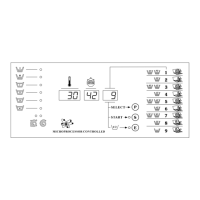
Push the SELECT-button (P) at the time the special function
needs to be activated and keep the button depressed.
Now push the START-button (S) simultaneously and release same. Only now
release the SELECT-button (P).
The central display now shows F1 and this function is now active.
By pressing the SELECT-button (P) the next function
will appear on the central display. And so on up to F8.
To return to normal operation, press the START-button (S) and release.
A function is also terminated by selecting another function. Functions are also
automatically ended and switched off at the end of the each program.



 To Next Page