2120
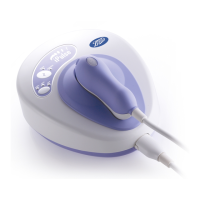
ALWAYS READ THESE INSTRUCTIONS FULLY BEFORE OPERATING THE BOOTS SMOOTH SKIN SYSTEM
The following troubleshooting guide should
be used initially to try to solve any problems
you may experience with the Boots Smooth
Skin system.
If you have followed the instructions in
this section and are still unable to resolve
your problem please ask at larger
Boots shops stocking this item, visit
www.boots.com/smoothskin or call the Boots
Careline on 0845 120 1511.
Please note that smaller Boots shops may
not be able to help.
Because of the special nature of the light,
the flash tube in the Boots Smooth Skin
system handset has a lifetime expectation
of 10,000 pulses before the light quality falls
below acceptable levels. After this number
of flashes the handset will not operate and
the unit must be returned for a chargeable
service and to have a new flash tube fitted.
PROBLEM: The lights on the Boots Smooth Skin
Control Panel are not lit up.
Make sure that the power supply is plugged
in and switched on at the wall.
Ensure that the power lead to the Boots Smooth
Skin system base unit is plugged in fully and
that the handset lead is securely connected at
the front of the base unit.
Check that the fuse or circuit breaker in the
mains supply has not blown.
After 50 shots in quick succession there is an
automatic cooling delay of about a minute
where the system will not respond—this is
absolutely normal and nothing to worry about.
This cooling delay is indicated by the ‘READY’
light flashing. When it glows constantly the
unit is ready to use again.
After 200 shots within a 30 minute period
there will be a 5 minute automatic cooling
delay where the unit will not respond—this is
absolutely normal and nothing to worry about.
This cooling delay is indicated by the ‘READY’
light flashing. When it glows constantly the
unit is ready to use again.
The unit will automatically go into STANDBY
if not used for approximately 1 minute,
and the green STANDBY light will come on.
To use again press the STANDBY button.
PROBLEM: The Boots Smooth Skin system
doesn’t work on small areas.
For safety reasons, if the area to be treated
is too small for all four contact pins on the
handset to make positive contact with the
skin the Boots Smooth Skin system will not emit
a pulse of light.
PROBLEM: My Boots Smooth Skin system base
unit or handset appears to be broken, cracked
or defective.
Do not use if the base unit, handset or
connecting cable are damaged or if the power
supply is damaged. If you are in any doubt
about the safety of the Boots Smooth Skin
system or suspect it is damaged in any way
it must not be used.
Please ask at larger Boots stores stocking
this item, visit www.boots.com/smoothskin or
call the Boots Careline on 0845 120 1511.
Please note that smaller Boots stores may
not be able to help.
8. Troubleshooting
READY / STANDBY LIGHTS SKIN TYPE LIGHTS
7di]DCXdci^cjdjhan 6aai]gZZDCXdci^cjdjhan I]Z]VcYhZi]VhÃgZY&%!%%%
shots and must be replaced
7di]DCXdci^cjdjhan 6aaD;; I]Z]VcYhZi^hcdi
connected or the connection
is incorrectly made
READY and STANDBY Any combination The unit is damaged and should
lights flashing alternately be returned for repair
PROBLEM: The lights on the Boots Smooth
H`^c 8dcigda EVcZa VgZ DC dg ;A6H=>C< ^c V
strange pattern.
This means that the Boots Smooth Skin system is
hZa["iZhi^c\VcYl^aaY^heaVnVcnZggdgbZhhV\Zh
through combinations of lights on the control
panel. The table below explains what these light
combinations mean.
Skin type
lights
READY/STANDBY
lights


 To Next Page