EasyManua.ls Logo

IQaudIO PI-DIGIAMP+ - User Manual

Default Icon
39 pages
Print Icon
To Next Page IconTo Next Page
Loading...
IQaudIO
User Guide v20
This document covers the installation, software configuration and
usage of IQaudIO audio cards for the Raspberry Pi A+, B+, RPi2, Pi-
Zero and Raspberry Pi 3.
If you would like to see additional information within this document please email us at
info@iqaudio.com
IQaudIO'Limited,'Company'No:'09461908'
For those who just need to know what setting should
be applied to /boot/config.txt in order to load the
IQaudIO device drivers —> Just jump to section 9

Other manuals for IQaudIO PI-DIGIAMP+

Question and Answer IconNeed help?

Do you have a question about the IQaudIO PI-DIGIAMP+ and is the answer not in the manual?

Summary

The IQaudIO Pi-DAC+ Audio Card

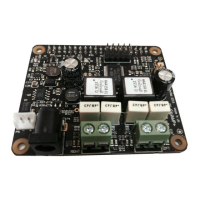
The IQaudIO Pi-DigiAMP+ Amplifier

The IQaudIO Pi-AMP+ Amplifier

Connecting the Pi-DAC+ to Raspberry Pi

Connecting the Pi-DigiAMP+ to Raspberry Pi

Connecting the Pi-AMP+ to the Pi-DAC+

Configuring Raspbian for IQaudIO

Update Raspbian on SD card

Update operating system for latest features and compatibility.

Configure;boot;config.txt for IQaudIO

Add device tree overlay for IQaudIO DAC support.

Configure optional AMP module mute

Set mute behaviour for AMP modules via config.txt.

Verify sound card with aplay

Check if the sound card is recognized by ALSA.

Checking IQaudIO Audio Functionality

Verify IQaudIO card in ALSA

Check if the sound card is recognized by the system.

Adjust volume using alsamixer

Control audio output levels using the alsamixer tool.

Test audio playback

Confirm audio output functionality with media player.

Advanced Troubleshooting for IQaudIO

Troubleshoot sound card detection and loading

Diagnose issues with ALSA visibility and module loading.

Controlling Pi-AMP+;Pi-DigiAMP+ Mute

Control mute via device tree overlay

Use dtoverlay parameters for mute control.

Common Linux Distribution Configurations

Adding a Rotary Encoder

Connect and configure Rotary Encoder

Use IQ_rot utility with GPIO for volume control.

Adding an IR (Remote Control) Sensor

Connect and configure IR Sensor

Use LIRC with GPIO25 for remote control.

Saving Alsamixer Settings

Disabling On-Board Raspberry Pi Audio

IQaudIO PI-DIGIAMP+ Specifications

General IconGeneral
BrandIQaudIO
ModelPI-DIGIAMP+
CategorySound Card
LanguageEnglish

Related product manuals