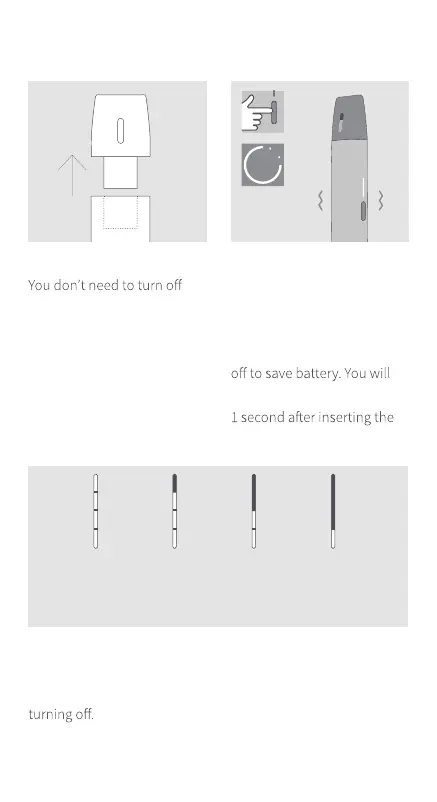
BATTERY LEVELS
White lights show the battery level. When IQOS VEEV battery is
empty, the lower white light will blink for a few seconds before
If you wait more than 3
minutes to insert the VEEV
pod, your IQOS VEEV device
will automatically switch
need to press the button for
VEEV pod to start vaping.
>75%
4 white
lights
25%-1%
1 white
light
Charging required
75-50%
3 white
lights
50-25%
2 white
lights
1
″
CHANGE VEEV pod
your IQOS VEEV device before
removing the VEEV pod.
When you insert it, a pulsing
light might appear to indicate
that it is initializing. It is ready
to use when the light stops
pulsing.


 To Next Page