
 Need help?
Do you have a question about the iRangex RX4 and is the answer not in the manual?
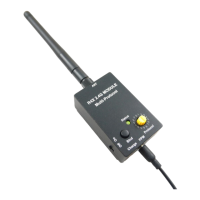
Connect the antenna tightly and plug the signal cable into the transmitter's DSC port and the RF module's PPM port.
Select the correct protocol using the dial, then power on the transmitter and RF module.
The RF module has a buzzer that beeps when battery voltage is low (below 3.5V).
Power on the receiver and set it to binding mode.
Press and hold the bind button on the RF module while turning it on until the green light flashes rapidly.
Note that some protocols may not require a manual binding process on the module.
Set the protocol switch to '0' and power off the RF module before connecting the USB charger.
The status indicator turns red during charging and turns off when charging is complete.
Battery charges only when the power switch is off, even when connected to USB power.
Only an audio cable is provided; some transmitters may require a separate trainer cable.
The battery cuts off output below 3.0V, and the buzzer may stop working below 3.3V.
 General
| Brand | iRangex |
|---|---|
| Model | RX4 |
| Category | Control Unit |
| Language | English |

 To Next Page