

EasyManua.ls Logo

Iridium SHOUT nano - User Manual

Iridium SHOUT nano
36 pages
Print Icon
To Next Page IconTo Next Page
Loading...
SHOUT nano USER’S GUIDE
Version 1.0
September 7, 2010
TM
Satellite-Rent.Ru
inf@satellite-rent.ru
+7 495 500-75-48
+7 800 505-75-48
POWERED BY
IRIDIUM
Question and Answer IconNeed help?

Do you have a question about the Iridium SHOUT nano and is the answer not in the manual?

Summary

Glossary

Introduction

Using the SHOUT nano Device

Device Components Overview

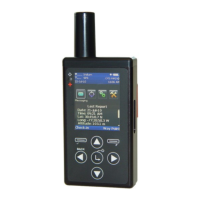
Details the physical buttons, LED, and USB port of the SHOUT nano device.

Charging the Battery

Device Navigation Basics

On-Screen Keyboard Usage

Home Screen Interface

Quick Start Guide

Messaging Menu Functions

Messaging Address Book

Lists contacts created and saved using NAL Research's SatTerm software.

Messaging Compose Options

Messaging Inbox

Messaging Drafts

Messaging Outbox

Messaging Sent Folder

Messaging Mailbox Check

Tracking Menu Operations

Tracking Mode On;Off

Sets the SHOUT nano tracking mode, enabling or disabling tracking.

Tracking Report Rate Settings

Emergency Cancel 911

Tracking Statistics

Tracking Accuracy Settings

Tracking Report Format

Utilities Menu Functions

Utilities Check GPS

Forces the nano to turn on its GPS receiver and continuously update GPS data.

Utilities Check Iridium

Utilities Test Report

Utilities Mailbox Check

Utilities Check-In

Utilities Way Points

Settings Menu Configuration

Settings Audio Options

Used to change alert frequency, tone, and mute audio feedback.

Settings Contrast Adjustment

Adjusts the LCD contrast by pressing arrow buttons.

Settings Backlight Control

Sets the period of inactivity before the LCD backlight turns off.

Settings LED Indicator

Manages the status LED for emergency and tracking modes.

Settings Include GPS Option

Settings Format Options

Settings Time and Date

Settings Soft Key Behavior

Settings User Information

Settings Unit Information

Settings Memory Management

Settings Reset Parameters

Additional Device Features

Emergency 911 Button Operation

Activates emergency mode sending three reports to a NOC.

Device Status LED Indicator

Indicates device status: green for emergency, flashing for tracking.

Device Powering Down

Explains how to power down the device and put it into sleep mode.

Appendix A PMS Features

Appendix A PMS Tracking

Details the capability of sending position reports in PECOS Message Structure (PMS).

Appendix A Brevity Code

Allows selection of one of sixteen Brevity Codes to include in tracking reports.

Appendix A PMS Soft Keys

Appendix C Power Consumption

Appendix D Design Specifications

Specifications Mechanical

Details the physical dimensions, weight, enclosure, and connectors of the SHOUT nano.

Specifications Electrical

Covers input voltage, peak current, battery type, capacity, and charging.

Specifications Iridium Transceiver

Specifies operating frequency, duplexing, and multiplexing methods.

Specifications GPS Receiver

Lists GPS receiver type, update rate, and accuracy.
Specifications Acquisition and Sensitivity

Specifications Environmental Electronics

Specifications Environmental Battery

Specifications Environmental LCD

Iridium SHOUT nano Specifications

General IconGeneral
BrandIridium
ModelSHOUT nano
CategoryGPS
LanguageEnglish