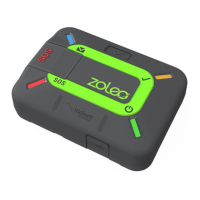
ZOLEO Global Satellite Communicator User Manual
15. Power Management ................................................................................................................ 21
15.1 Power-saving settings .................................................................................................................... 21
15.2 Low-battery warning ...................................................................................................................... 21
15.3 Hot-battery warning ....................................................................................................................... 22
16. Miscellaneous Information ...................................................................................................... 22
16.1 Find a misplaced ZOLEO communicator ..................................................................................... 22
16.2 Invite friends to join the ZOLEO community ............................................................................... 22
16.3 Change your smartphone or tablet .............................................................................................. 22
16.4 Share your ZOLEO communicator ................................................................................................ 22
16.5 Your ZOLEO online account .......................................................................................................... 23
17. Caring for your ZOLEO communicator .................................................................................. 24
18. Troubleshooting ....................................................................................................................... 24
18.1 Problems, causes and solutions .................................................................................................... 24
18.2 Hardware reset ............................................................................................................................... 25
18.3 Factory reset ................................................................................................................................... 25
19. Upgrades .................................................................................................................................. 26
19.1 Software Upgrades: ZOLEO App ................................................................................................. 26
19.2 Software Upgrades: ZOLEO communicator ................................................................................ 26
20. Support ..................................................................................................................................... 26
21. Technical Specifications .......................................................................................................... 26


 To Next Page