English
9
Using iRig MIDI 2
iRigMIDI2willworkwithnosetuponalliOSdeviceswhenMIDIcompatibleappsareused.
RemembertoalwayssetupmatchingMIDIchannelsonthetransmittingandreceivingdevices,appsorcontrollers.
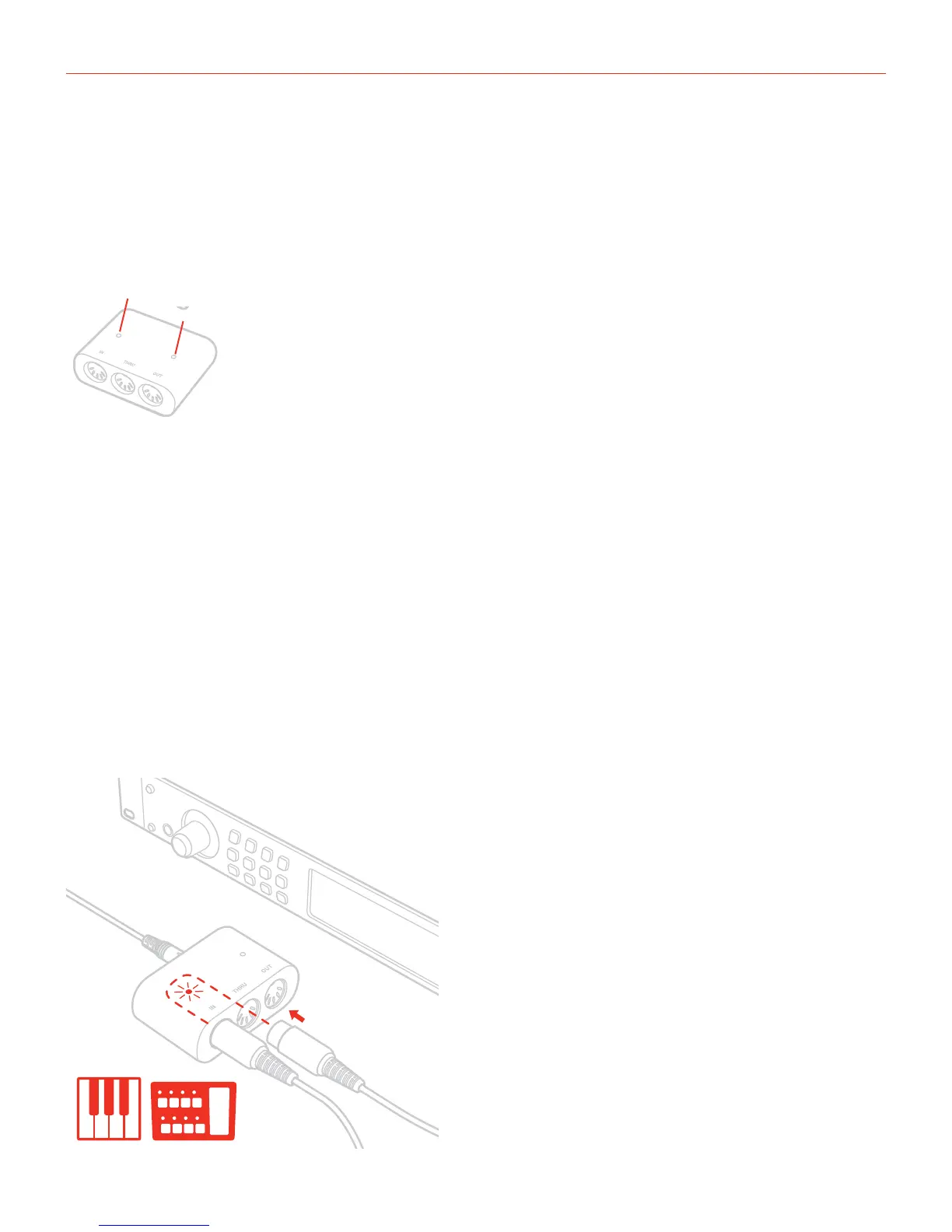
iRigMIDI2isequippedwithtwoblueLEDsthatmonitortheincomingMIDIINandtheoutcomingMIDIOUTsignals.
INLED
OUTLED
WhenaMIDIsignalisarrivingintheMIDIINportoniRigMIDI2theLEDabovetheMIDIINportwillblink.
WhenaMIDIsignalissentfromtheMIDIOUTportoniRigMIDI2theLEDabovetheMIDIOUTportwillblink.
WhenusingiRigMIDI2withyourcomputer,makesureiRigMIDI2isselectedasthecurrentMIDIinterfacein
thepreferencesorAudioMIDIsettingsofyourpreferredsoftware.
MIDIThru
TheTHRUport,emitsacopyofeverythingreceivedfromtheMIDIINport,allowingdatatobeforwardedto
otherinstruments.
TheTHRUportisusedtosendMIDIsignalstomultipledevicessimultaneously.Forexample,youcansendMIDI
datafromakeyboardcontrollertoanapponyouriPadandanexternalMIDIsoundmoduleatthesametime.
Todothis,connectthesoundmoduletotheMIDITHRUport.Thesignalcomingfromthekeyboardcontroller
willbesentsimultaneouslytoboththeexternalMIDIsoundmoduleandtheiPad.
MIDI
THRU



 To Next Page