(c)2015 Iris Innovations Limited. All Rights Reserved. v01.00 24/09/15. E&OE
IRIS Centre Software:
If you are using the Iris Centre software, once you have installed the accompanying software appropriate for
your PC specifications (either the x86 or x64 version) and run it, you will be presented with firstly a login
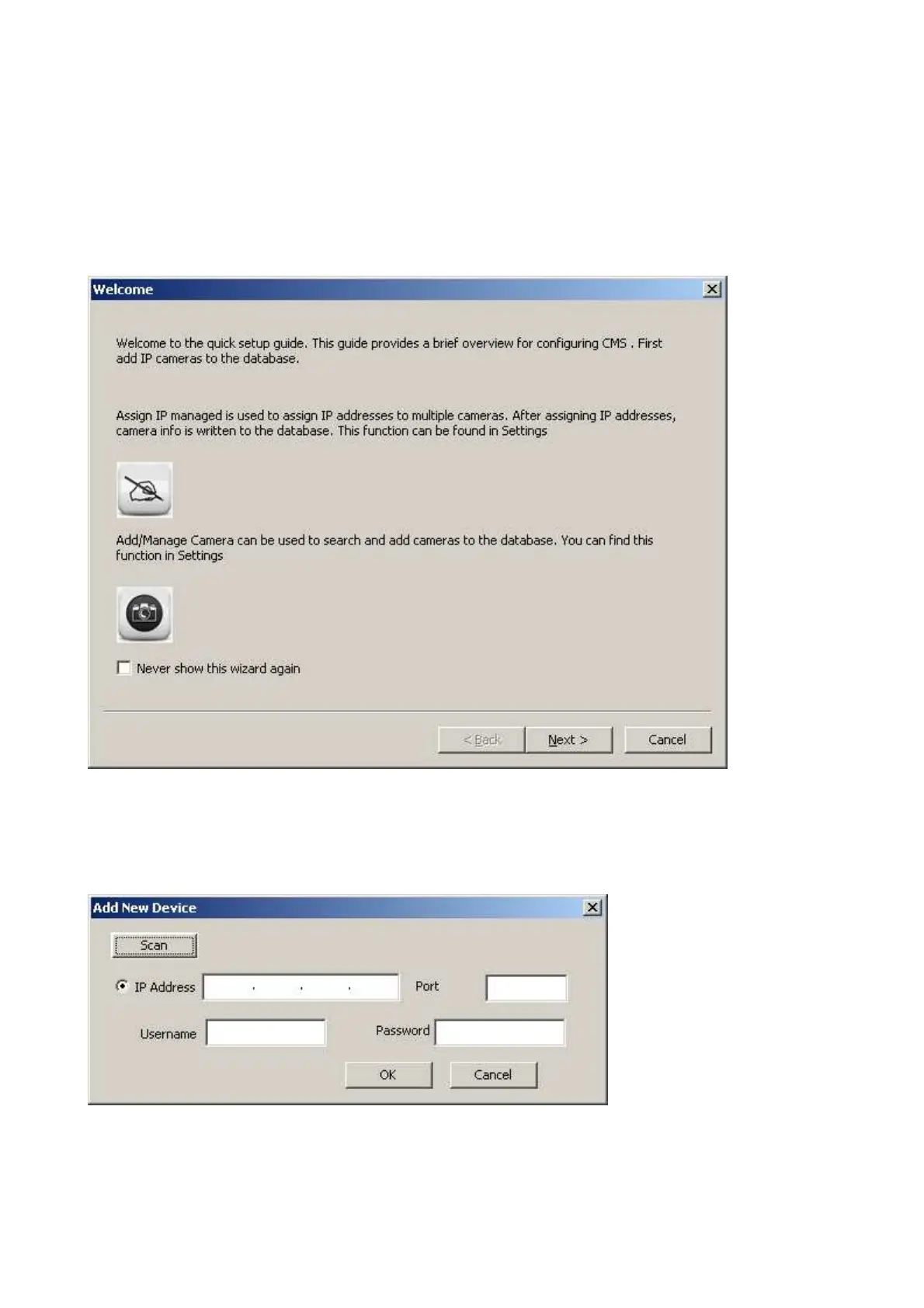
prompt (which is “root” as “pass” in lower case) and then a welcome page and a camera setup wizard:
To add your new camera to the system, you must select the Add/Manage camera button, and then “Scan”
from the following “Add New Device” prompt:
Any connected IRIS 710 camera should now be visible in a displayed list. By selecting this camera from the
list, then following the on-screen prompts, including re-entering the password when requested, this camera
will be added to the system.



 To Next Page