Need help?
Do you have a question about the IRiver Story and is the answer not in the manual?
Lists the items included with the iRiver Story E-book device: Player, USB cable, Quick guide & Product warranty.
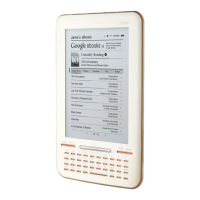
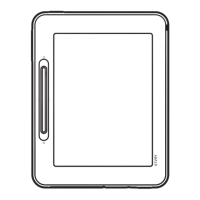
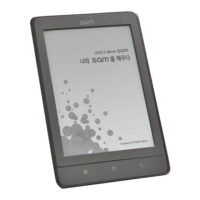
Details the exterior and interior components of the device, labeling buttons and ports.
Explains the display layouts for Books, Music, Recordings, Memo, and Diary modes.
Instructions for turning the iRiver Story device on and off using the hold/power switch.
Guide to locking/unlocking the device with the hold function and performing a system reset.
Steps to navigate and select desired menu options on the iRiver Story device.
Procedure for charging the device's battery by connecting it to a computer via USB cable.
Instructions for connecting earphones, SD cards, and establishing a connection with a computer.
Guide to selecting books, viewing content, and using add-on features for book lists and viewing.
Instructions for selecting, playing, and managing music files, including add-on features.
Guide to recording voices and listening to recorded files, with add-on options.
Steps for entering, viewing, and managing text memos, including add-on features.
Instructions for selecting, entering, and managing schedules and diary entries.
Customizing device preferences such as name, font, language, and Wi-Fi network connection.
Instructions for installing and upgrading the iriver plus 4 software for the device.
Guide to installing and using Adobe Digital Editions for transferring and managing e-books.
Information regarding copyrights, GNU General Public License, and terms of use for the device's software.
Details on device certifications (KCC, FCC, CE) and registered trademarks like Microsoft and Adobe.
Disclaimer from the manufacturer regarding liability for damage, data loss, and product specifications.
Guidelines for safe operation, handling, and environmental considerations for the device.
Provides solutions for common issues like power, charging, connectivity, and screen display problems.
 General
| Color | No |
|---|---|
| Technology | E Ink |
| Display diagonal | 6 \ |
| Grayscale levels | 8 |
| Display resolution | 600 x 800 pixels |
| Audio formats supported | MP3, OGG, WMA |
| Image formats supported | BMP, JPG, PNG |
| Video formats supported | - |
| Document formats supported | DOC, ePub, PDF, PPT, TXT, XLS |
| RAM capacity | 2024 MB |
| Compatible memory cards | SD, SDHC |
| Maximum memory card size | 32 GB |
| Internal storage capacity | 2 GB |
| Languages support | CHI (SIMPL), CHI (TR), CZE, DEU, DUT, ENG, ESP, FRE, ITA, JPN, KOR, RUS, SWE, TUR |
| Battery life | 9000 pages |
| Battery life (max) | - h |
| Battery recharge time | 5.33 h |
| Continuous audio playback time | 24 h |
| Product color | White |
| Windows operating systems supported | Yes |
| Operating temperature (T-T) | 0 - 40 °C |
| Dimensions (WxDxH) | 127 x 9.4 x 203.5 mm |
 Weight and Dimensions
| Weight | 284 g |
|---|


 To Next Page