For more information, visit global.irobot.com22
EN
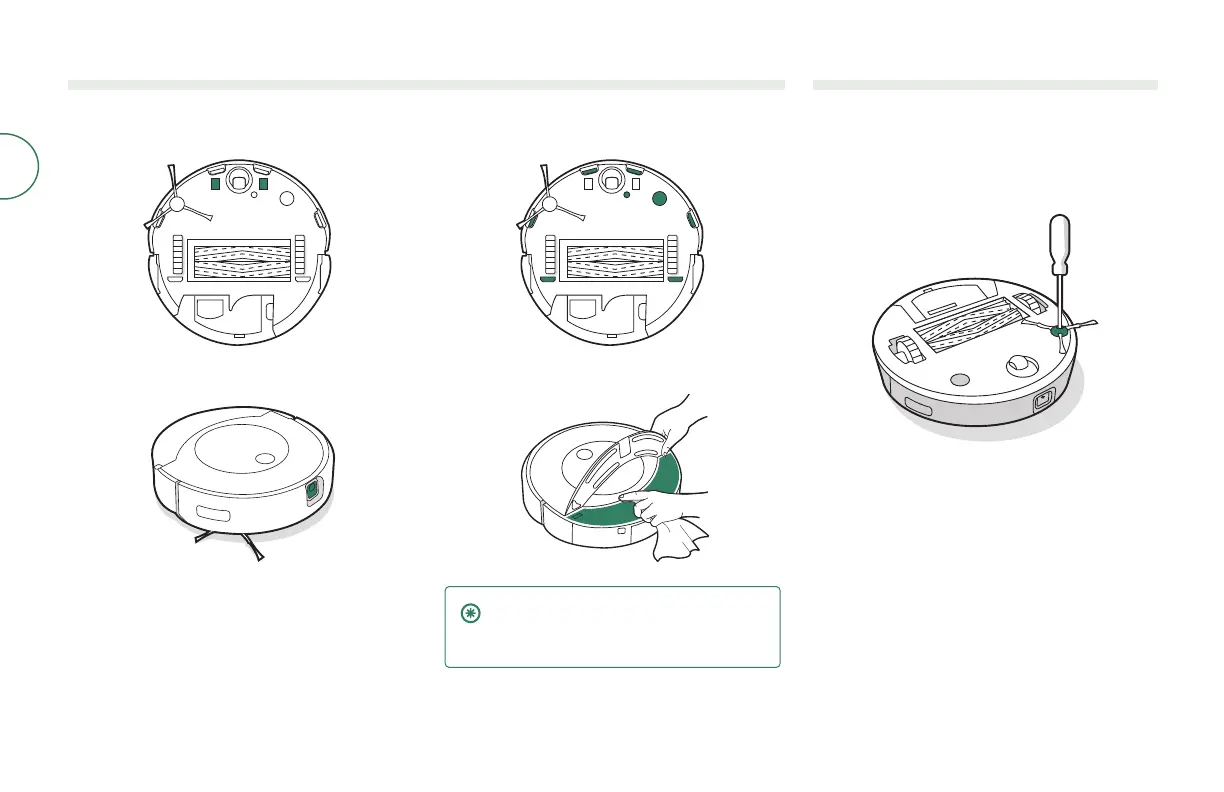
Cleaning the charging contacts, sensors, camera window, and pad shelf
Wipe components with a clean, dry cloth.
CHARGING CONTACTS
CAMERA WINDOW
SENSORS
PAD SHELF & IR PAD SENSOR
IMPORTANT: Do not spray cleaning
solution or water onto the sensors or
sensor openings.
Cleaning the Edge-Sweeping Brush
1
Use a small screwdriver to remove the screw
holding the edge-sweeping brush in place.
2
Pull to remove the edge-sweeping brush.
Remove any hair or debris, then reinstall
the brush.



 To Next Page