25Roomba Combo® 10 Max + AutoWash dock Owner’s Guide
EN
Care and maintenance for your dock
To keep your dock running at peak performance, perform the procedures on the following pages.
Bags -
Bags should be replaced when
prompted by the LED indicator or the
Sensors, IR window, Visual
docking target
Clean once a month -
Rinse and refresh water as needed
Rinse and empty as needed
Pad washing basin, Liquid
overow basin
Clean if visibly dirty, once a month, or
as indicated by iRobot Home app
-
Pad washing roller
Clean if visibly dirty, once a month, or
as indicated by iRobot Home app
12 months or when prompted by the
iRobot Home app
* Replacement frequency may vary. Parts should be replaced if visible wear appears. If you think you need a replacement part,
please contact iRobot Customer Care for more information.
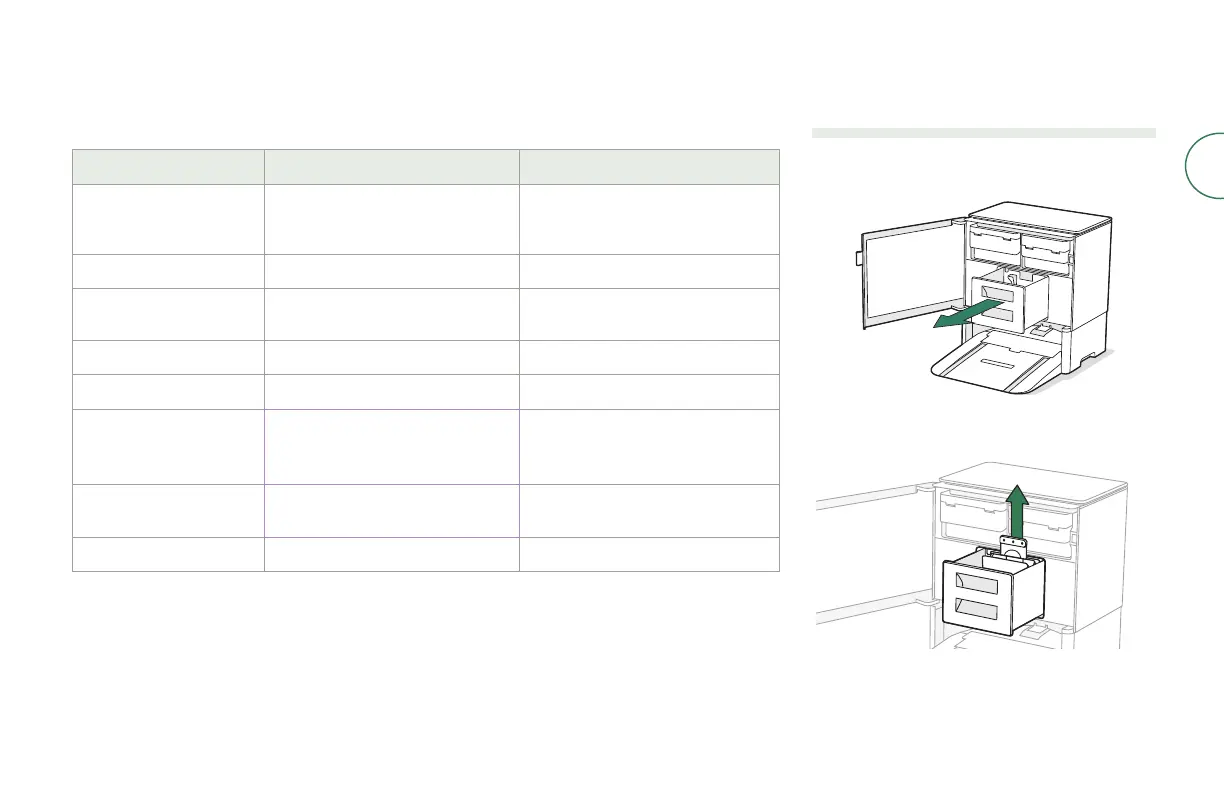
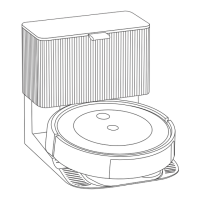
Replacing the bag
1
Use pull tab to open door and remove Debris
Bag Drawer.
2
Pull up on the card to remove the bag from the
canister. Discard the used bag.



 To Next Page