
 Need help?
Do you have a question about the Irradio VDP-7000HDW and is the answer not in the manual?
Welcomes the user and provides contact information for technical support.
Outlines crucial safety precautions for using the projector.
Lists all items included in the projector package.
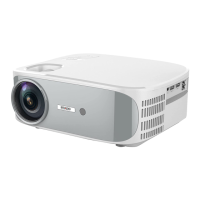
Identifies and describes the physical parts of the projector unit.
Details the functions of the projector's physical control buttons.
Lists and describes the buttons on the projector's remote control.
Provides general guidelines and precautions for projector installation.
Instructions for mounting the projector on a flat surface like a table.
Instructions for mounting the projector on a ceiling.
Explains how to adjust the projector's focus for clarity.
Details how to correct trapezoidal image distortion and rotate the picture.
Explains how to reduce the image size to fit the screen.
Connect high-definition sources via HDMI or older sources via AV.
Select USB input for playing video, audio, and image files.
Select wireless input for mirroring smartphone or tablet screen.
Adjust keystone correction and image rotation for optimal picture alignment.
Customize contrast, brightness, color, sharpness, and ratio for desired image quality.
Set projector direction and reduce image size within OSD menu.
Configure sound modes, balance, and auto volume for optimal audio output.
Set the time for the projector to automatically turn off.
Explains different modes for audio connection: OFF, Static, Receiver, and Auto.
Details steps for connecting smartphone/tablet wirelessly for screen mirroring.
Instructions for wireless connection with or without a home Wi-Fi network.
 General
| Brightness | 7000 Lumens |
|---|---|
| Contrast Ratio | 10000:1 |
| Projection Technology | DLP |
| Input Ports | HDMI, VGA, Composite, USB |
| Lamp Life | 5000 hours |

 To Next Page