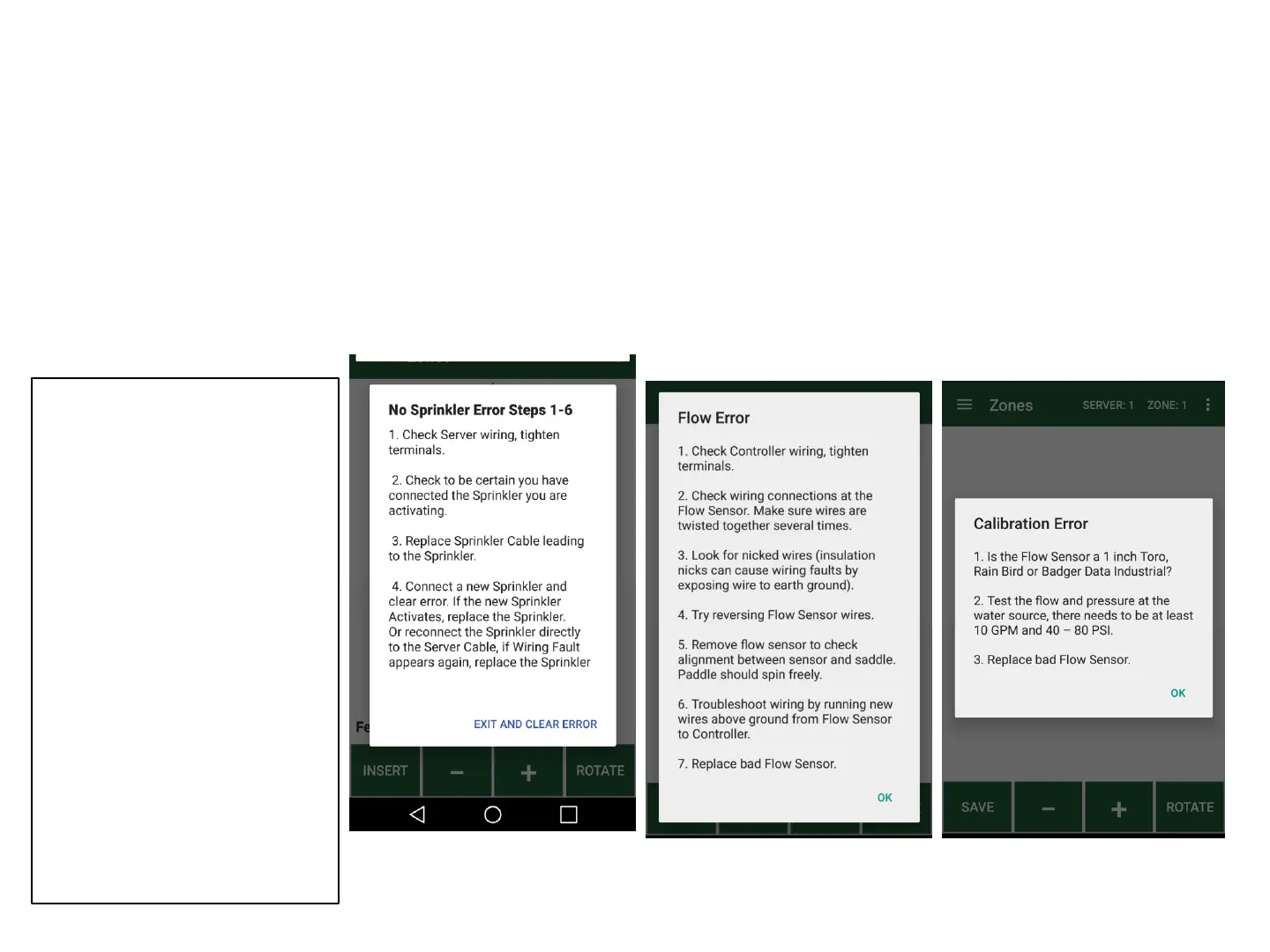
Irrigreen Diagnostic Help Screens
These appear if the system detects a problem
Follow troubleshooting list on screen
No Sprinkler
System doesn’t detect
the Digital Sprinkler
Wiring Faults
Typically caused by
connecting multiple
sprinklers without zone
addresses
Flow Sensor*
Not getting usable data
from the flow sensor
Calibration*
Not getting enough
(or consistent) flow
to calibrate
*NOTE: Flow and Calibration errors may also be caused by air in the line.
Run the last Digital sprinkler(s) on the line at maximum throw for several
minutes to remove all air from the system .
Also check for glue on the flow sensor impeller.
32
1. Check Controller wiring, tighten
terminals.
2. During Digital Zone Activation,
make sure only one non-
activated Sprinkler is connected
at a time. Disconnect any extra
Digital Sprinklers.
3. During Digital Zone Activation,
make sure to select the next
Digital Sprinkler number on the
Setup Page before activating the
new Sprinkler. If the same
number is selected twice, clear
the Error, select the next Digital
Zone and activate the Sprinkler.
4. Replace Sprinkler Cable leading
to the Sprinkler.
5. Connect a new Sprinkler and
clear error. If the new Sprinkler
Activates, replace the Sprinkler.
Or reconnect the Sprinkler
directly to the Server Cable, if
Wiring Fault appears again,
replace the Sprinkler.



 To Next Page