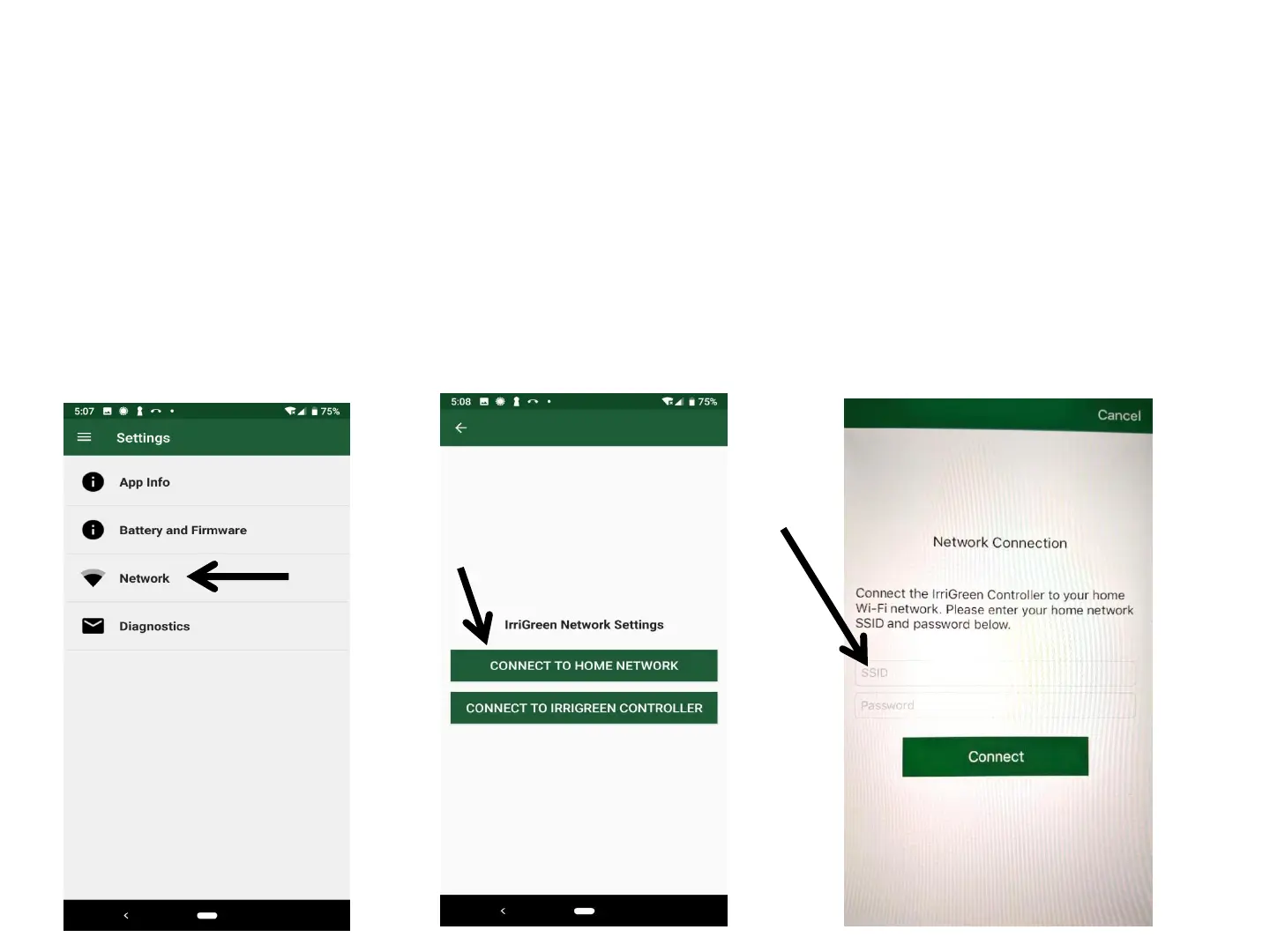
Rolling System Over to Home Wi-Fi Network
1. Go to IrriGreen App Dashboard
2. Select Network, Click on Connect to Home Network
3. Enter Home network name and Password
4. Click Connect
5. IrriGreen Wi-Fi network will disappear from your Wi-Fi Settings
6. Log into your Home network and start IrriGreen2 app
8
NOTE: Pushing Reset Button or unplugging system briefly will
allow logging into the IrriGreen Wi-Fi network for 90 seconds
(typically for Contractor access to system)



 To Next Page