EasyManua.ls Logo

Irritrol RD-600 - User Manual

Irritrol RD-600
20 pages
Print Icon
To Next Page IconTo Next Page
Loading...
SEMI-AUTO
Start A, B, or C
OFF
or
STOP
RUN
or
Manual
MANUALSET PROGRAMS
S
T
A
R
T
T
I
M
E
S
S
C
H
E
D
U
L
E
V
A
L
V
E
R
U
N
T
I
M
E
S
CURRENT
TIME
Today
Sun
Mon
Tue
Wed
Thu
Fri
Sat
Skip Days
1
1
2
12
11
10
4
3
5
6
7
8
9
2
3
RD - 1200
®
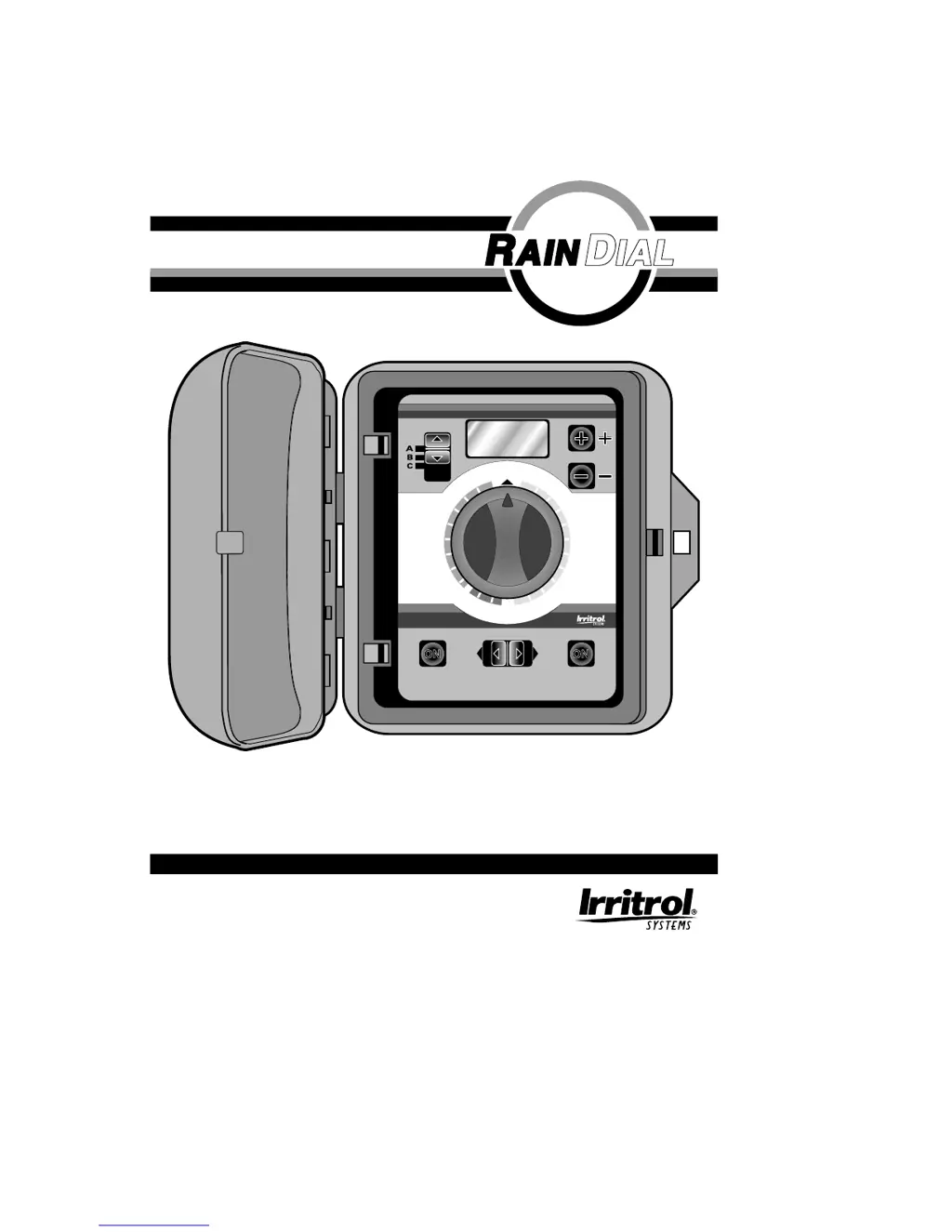
Installation and Programming Guide
For Models RD-600, RD-900, RD-1200 (Indoor and Outdoor Models)

Questions and Answers

  • L
    Lynn BrownAug 13, 2025
    What to do if my Irritrol Control Unit display is blank?
    • A
      Ashley LewisAug 13, 2025
      If the display is blank, it indicates a power issue. First, check the circuit breaker panel. Then, inspect the wiring connections and the transformer. Finally, check the controller terminal board fuse.
  • P
    Philip ColemanAug 17, 2025
    Why is the current time wrong and flashing on my Irritrol RD-600?
    • A
      andreareeseAug 17, 2025
      A flashing current time indicates that a power outage occurred, and the controller either has no battery or a weak battery. Replace the battery and reprogram the controller to resolve this.
  • K
    kevin21Aug 20, 2025
    How to fix Irritrol Control Unit watering at wrong times?
    • K
      Kevin WatsonAug 20, 2025
      If your system is watering at the wrong times, the CURRENT TIME of day may be incorrectly set. Check and reset the CURRENT TIME to correct this.
  • C
    Christopher JenningsAug 25, 2025
    What to do if my Irritrol Control Unit waters on wrong days?
    • R
      Robert MillerAug 25, 2025
      If your system waters on the wrong days, the Weekly or Skip Days schedule are likely incorrectly set. Reprogram the Program Schedule to ensure correct watering days.
  • T
    Taylor BrewerAug 28, 2025
    What to do if the program won’t display on my Irritrol RD-600 Control Unit?
    • N
      Nathaniel HoAug 28, 2025
      If the program won’t display, ensure the Function Switch is in the RUN or MANUAL setting. If it still doesn't display, the controller might be in a watering cycle. Change the program with the Function Switch in Set Programs.
  • J
    jallenAug 31, 2025
    Why is the display flashing on my Irritrol RD-600 Control Unit?
    • M
      Mark OlsonSep 1, 2025
      A flashing display indicates an excessive load, possibly due to a shorted solenoid or field wiring. Check the maximum ratings and inspect the solenoids and wiring for any issues.
  • F
    fpowellSep 5, 2025
    What to do if my Irritrol RD-600 valve won’t turn off (function switch off)?
    • M
      Marvin FreemanSep 5, 2025
      If a valve won’t turn off even with the function switch off, it's likely due to a mechanical override, meaning the Manual bleed is on. Turn the solenoid on top of the valve fully clockwise to resolve this.
  • J
    James MatthewsSep 8, 2025
    What to do if the display is incorrect on my Irritrol Control Unit?
    • D
      David WhiteSep 9, 2025
      If the display is incorrect after a power outage or being unplugged, the battery is likely weak or missing. Remove AC power and the battery for 1 minute. Replace the battery, restore power, and reprogram the controller.

Summary

Contents and Specifications

Key Features

Highlights modular design, short circuit detection, fail-safe, and multiple programming options.

Specifications

Details electrical inputs, operating temperature range, and battery backup.

Controller Installation

Installing the Indoor Model Controller

Provides step-by-step instructions for mounting the indoor controller.

Installing the Outdoor Model Controller

Guides on mounting the weather-resistant outdoor controller.

Battery Installation

Valve Connection

Pump Start Relay or Master Valve Connection

Connecting the Power Supply

Power Connection for Indoor Model

Steps for connecting the indoor controller's power supply transformer.

Power Connection for Outdoor Model

Guidelines for hardwiring the outdoor controller's power supply.

Connecting Earth Ground

Buttons and Switches Functions

Program and Function Switches

Describes the roles of the Program and Function switches for operation.

Operation Start Buttons

Details the Semi-Auto and Manual Start buttons for manual watering.

Programming Dial and Buttons

Explains the Multi-Function Dial and +/- buttons for setting programs.

LCD Display

Describes the information shown on the controller's liquid crystal display.

How the Multi-Function Dial Works

Valve Run Time Settings

Explains how to set the duration each valve waters.

Start Times Settings

Details how to set multiple start times for watering programs.

Schedule Day Settings

Guides on setting daily watering days or interval skipping.

Today Settings

How to set the current day for weekly or skip-day schedules.

Anywhere Programming

What the LCD Display Indicate

Information Displayed When Programming

Details display content during the program setting phase.

Information Displayed During Operation

Explains display information during automatic, semi-auto, and manual modes, including short/malfunction detection.

Watering Considerations

Documenting Your Automatic Operation

Watering Schedule Chart

Fail Safe Mode

Setting the Current Time and Day

Setting Valve Run Times

Setting Program Start Times

Setting Program Schedule

Daily Schedule Option

How to set watering days on a specific day-by-day basis.

Skip Days Schedule Option

How to set watering intervals using the skip-day feature.

Activating the Controller

How to Check Your Program

Semi-Auto Operation

Manual Operation

Manual Shut-Off

Fuse Replacement

How to Check for Valve Shorts

Troubleshooting the System

Notes

FCC Notice

Irritrol RD-600 Specifications

General IconGeneral
Stations6
Programs3 independent programs
Rain Sensor InputYes
Cycle and SoakYes
Manual OperationYes
Enclosure MaterialPlastic
CompatibilityCompatible with most irrigation systems
Voltage120 VAC
Watering Duration1 minute to 4 hours per station
Battery Backup9V Battery for program backup
Weight2.2 lbs (1.0 kg)

Related product manuals