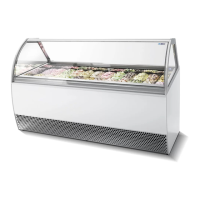
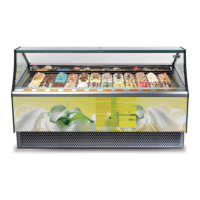
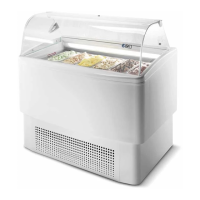
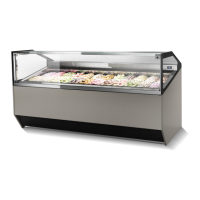
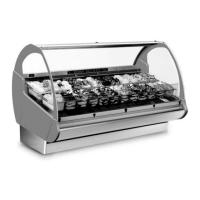
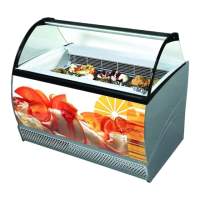
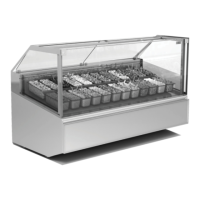
This document provides a comprehensive guide to the Millennium 07 UL device, covering its functions, technical specifications, usage, and maintenance.
Function Description
The Millennium 07 UL is a commercial refrigeration unit primarily designed for the display and sale of ice cream and frozen food products. It operates within a product class temperature range of -16°C to -14°C. The device is equipped with an automatic defrost system to ensure optimal performance.
Not Allowed Uses:
- Preservation of non-food items (chemicals, pharmaceuticals, etc.).
- Display or preservation of non-food items.
Important Technical Specifications
Climatic Class: The device is designed to operate in two climatic classes:
- Climatic Class 7: Ambient temperature up to +35°C max, relative humidity 70% max.
- Climatic Class 5: Ambient temperature up to +43°C ± 2°C.
Electrical Specifications (for models 12(A) to 12+12(A)):
- Voltage/Frequency (V/Hz): 230/60
- Maximum Power (Wmax): Ranges from 2500W to 4700W depending on the model.
- Maximum Current (Amax): Ranges from 12A to 21.4A depending on the model.
- Weight (kg): Ranges from 235kg to 470kg depending on the model.
Dimensions (mm):
- Height: 980mm
- Width: 1062mm (for model 12(A))
- Depth: 761mm
- Glass Height: 150mm
- Total Height: 1392mm
Container Composition: The device supports various stainless steel container configurations, including:
- It 5: 360x165x120H
- It 7: 360x165x150H
- It 10: 360x250x120H
- It 12: 360x250x150H
Control Panel (IR33): The user interface features a bright display with 3 digits, a decimal point, and icons. It shows temperatures, codes, parameter values, and unit statuses. The silicon keypad allows direct access to HACCP, light, defrost, and continuous cycle functions.
Control Panel Icons:
- COMPRESSOR: ON when activated, flashes when activation is delayed by safety times.
- FAN: ON when activated, flashes when activation is prevented by external disabling or procedures.
- DEFROST: ON when activated, flashes when activation is prevented by external disabling or procedures.
- AUX: Flashes if the anti-sweat heater function is active, ON when the auxiliary output selected as AUX is activated.
- ALARM: ON following pre-activation of delayed external digital input alarm, flashes during normal operation (e.g., high/low temperature) or from an immediate/delayed external digital input.
- CLOCK: ON if a timed defrost is set, indicates Real Time Clock presence at start-up.
- LIGHT: Flashes if anti-sweat heater is active, ON when auxiliary output 1 selected as LIGHT is activated.
- SERVICE: Flashes for malfunctions (E2PROM errors, probe faults).
- DISPLAY: Shows temperature (-50 to +150°C) with tenths resolution (-19.9 to 19.9°C).
- HACCP: ON if HACCP is enabled, flashes for new HACCP alarms.
- CONTINUOUS CYCLE: ON when activated, flashes if activation is prevented by external disabling or procedures.
Usage Features
Temperature Setting and Defrost:
- Temperature regulation must be performed by qualified personnel based on products and ambient conditions.
- The appliance has an automatic defrost system.
- For optimal performance, it is recommended to remove ice cream, perform a manual defrost, and keep the unit off for 12 hours once a week.
Keypad Functions:
- PRG/MUTE: Mutes audible alarms, deactivates alarm relay. Accesses network address assignment, "F" parameters (frequent), or "C" parameters (configuration) with Set. Activates default parameter settings on power-up. Resets active alarms with aux.
- UP/AUX: Activates/deactivates auxiliary output 1. Activates/deactivates continuous cycle operation with def. Starts report printing procedure with Set. Resets active alarms with Prg/mute.
- DOWN/DEF: Activates/deactivates manual defrost. Activates/deactivates continuous cycle operation with aux. Displays HACCP alarm parameters with Set.
HACCP Alarm Management:
- Displaying Alarms: Press def and Set for over one second to view HA and HF alarm parameters. Use aux and def to scroll through codes. Press Set to view values. For HA or HF, use aux and def to view year, month, day, hour, minute, and duration of the last alarm.
- Deleting Alarms: Press def and Set for over 5 seconds to delete HACCP alarms. Press def, Set, and aux for over 5 seconds to delete HACCP alarms and saved alarms.
- Return to Normal Operation: Press Prg/mute for 3 seconds or wait for TIMEOUT (60 seconds).
Maintenance Features
General Maintenance:
- Always disconnect the appliance from the power supply before any intervention.
- Only qualified personnel should perform work on electrical, electronic, or refrigeration components, adhering to current regulations.
- The manufacturer is not responsible for damages to people, animals, or products due to improper use, non-compliance with regulations, incorrect installation, unauthorized modifications, use of non-original spare parts, or damage to the power cable.
Power Cable:
- Periodically inspect the power cable for damage.
- The power cable must only be replaced by the manufacturer or an authorized technical assistance service.
- Do not position the power cable in passageways to avoid obstruction.
Condenser Cleaning:
- Clean the condenser from impurities (dust, debris) every 30 days, and at least twice a year, to ensure proper air circulation.
- A dirty condenser negatively impacts performance and increases energy consumption.
- Cleaning should be done with a soft brush or a vacuum cleaner.
Drain-Water Drying Sponges:
- Clean the condensate drying sponges of impurities (dust, particles) at least once every six months.
Lamp Replacement:
- Replace lamps as soon as possible when they are exhausted (visibly blackened, not lighting up, etc.).
- Use identical lamps for replacement.
- Only specialized technical staff or authorized assistance should replace lamps.
Electrical Connection:
- Verify that the mains voltage matches the appliance's identification plate and that the required power is adequate.
- Ensure the socket voltage is nominal (±10%) at compressor start-up.
- The plug must be connected directly to the feeder; multiple derivations or adapters are forbidden.
- Grounding is mandatory by law. The electrical installation socket must have an automatic omnipolar switch with a minimum contact opening of 3mm for protection against earth faults, overloads, and short-circuits. A highly sensitive differential magnetothermic switch is recommended.
Positioning and Leveling:
- Position the appliance on a flat surface for optimal operation.
- Do not place liquid containers or other objects on top of the appliance.
- Ensure the compressor-condenser unit has free air circulation; ventilation zones must not be obstructed.
- Position the appliance away from heat sources (radiators, stoves) and continuous air movements (fans, air conditioning ducts). Avoid direct sun exposure. The appliance cannot be used outdoors or exposed to rain.

 Need help?
 General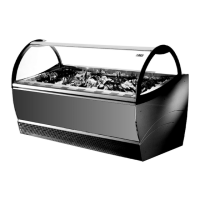

 To Next Page