34
EN
428000729137
USE AND MAINTENANCE MANUAL
ZERO TOUCH
13. CLEANING
CONDENSING UNIT
Attention
Turn off the product, wait a few
hours until the equipment of the
condensing unit has reached a
temperature close to that of the
environment.
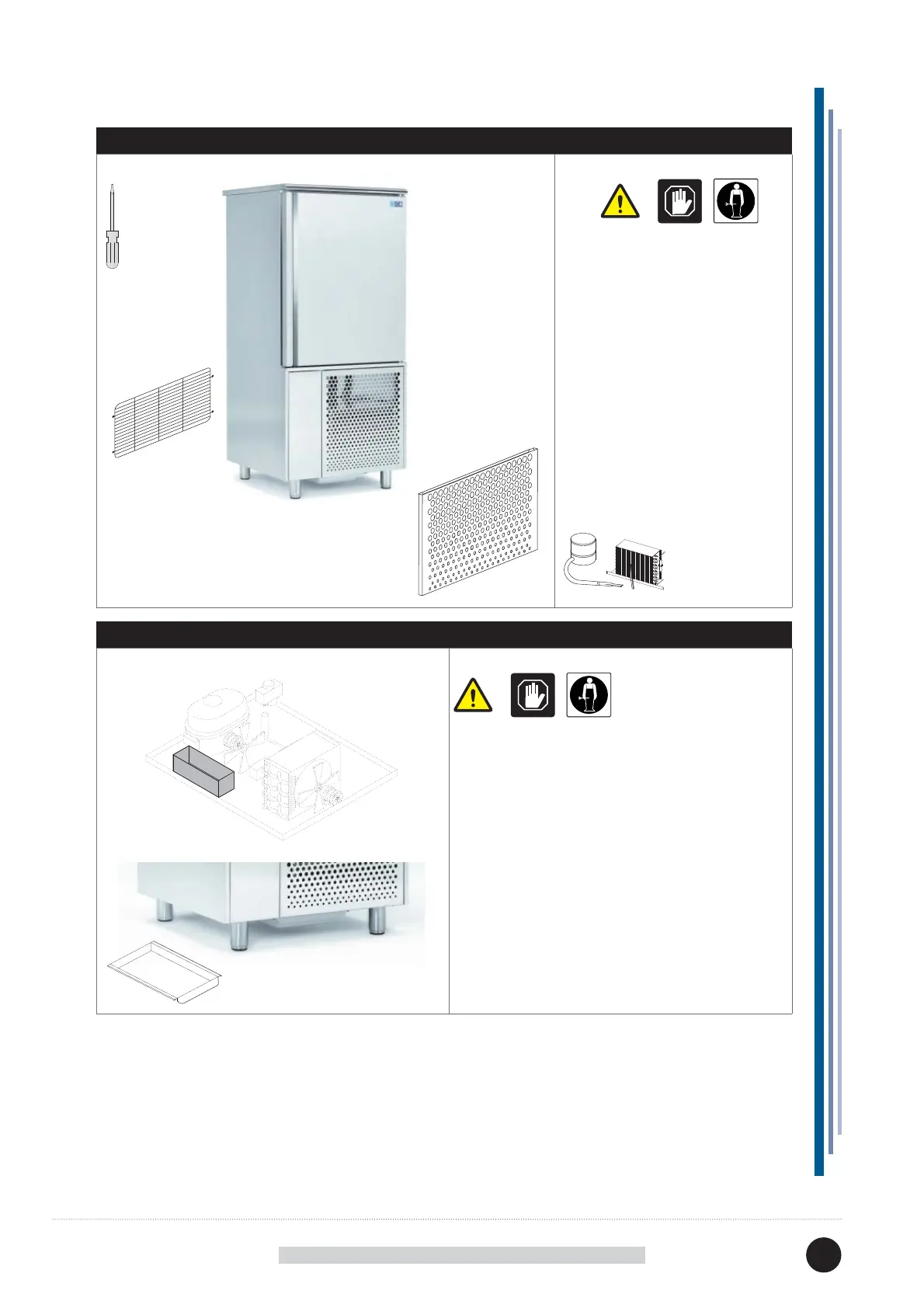
Remove the screws fi xing the
protection grid (front and rear) and
remove them as shown.
Clean the condensing unit using a
suction brush.
Clean the condenser with a soft
bristle brush; make sure you do not
bend the condensing unit springs
whilst cleaning it.
DEFROST WATER COLLECTION TRAY (IF PRESENT)
Attention
Clean based on use and as needed and in certain
environmental conditions (e.g., high humidity,
low environmental temperature, presence of dust,
etc.) in order to avoid the incorrect and complete
evaporation of the water and/or the presence of
unpleasant odours.
Sanitize the tray with specifi c products.
Condensation water is collected
in a pull-out container.


 To Next Page