______________________________________________________________________________________
Revision NEW APECS™ 2.7 13 of 19
Date: 10 July 2008
APECS ™ OPERATIONAL
INSTRUCTIONS (v. 2.7)
each sensor at the
normal set point used will assist in analyzing sensor behavior and add another
tool for potential problem analysis during a dive, should the need arise, and
during sensor calibration.
Next it is essential to ensure that the altitude is set correctly to provide accurate
data for calibration. The calibration altitude can be seen on the CALIBRATE
menu screen. If the diver needs to change the altitude it is accomplished by
means of the ALTITUDE menu. Altitude calibration is accomplished by utilizing
zones. Altitude selection is only used to affect the calibration adjustments and
only needs to be set prior to calibration if the altitude has changed.
Altitude zone selections: The altitude submenu section of the sensor calibration
has been enhanced to provide a High PO2 limit. ISC has implemented an
ambient air PO2 for the low point calibration along with the Maximum O2 PO2 for
the high point. The oxygen quality percentage is used to adjust the new high
point PO2 to properly represent the calibration maximum oxygen PO2 for the
selected altitude zone. This adjusted low and high point is displayed on the
altitude menu during calibration and changes with each altitude zone selection.
Altitude Zone selections during sensor calibration of both the primary and
secondary subsystems are accomplished as follows:
1. Enter ALTITUDE menu within two minutes of power on.
2. Answer CONFIRM to “ARE YOU SURE?” and “ARE YOU REALLY
SURE?”. CALIBRATE ALTITUDE submenu is displayed.
3. Initial display shows “Current PO2 = .21”. This is the current setting as
last calibrated.
4. Prompt line initially asks > 000 FT and shows = (the current
PO2)….(current MAX OXYGEN setting) i.e. .21 …. 100.
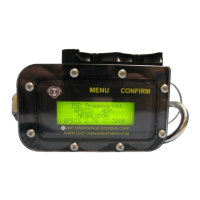
5. The MENU button becomes SELECT in this submenu. SELECT
increments to the next altitude zone. The bottom point in the zone
represents the HiPO2 result as just described.
Example, 100%O2, altitude is 6,500 feet. LoPO2=0.17, HiPO2=0.81 (.77x1.00).
The altitude menu calculates the high point PO2 to be the HiPo2 at 100% oxygen
times the oxygen percentage currently set in the MAX OXYGEN menu and
displays the result as the HiPo2 as the diver selects the appropriate altitude
zone.


 To Next Page
 Loading...