EasyManua.ls Logo

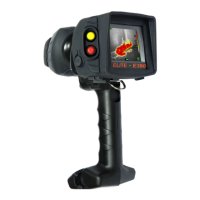
ISG INFRASYS K250 - User Manual

ISG INFRASYS K250
21 pages
Print Icon
To Next Page IconTo Next Page
Loading...
Operating Manual
© 2014, Infrared Systems Group Ltd.

Questions and Answers

  • M
    Margaret FisherAug 13, 2025
    What to do if ISG INFRASYS K250 Thermal cameras power does not turn on?
    • Z
      Zachary SnyderAug 13, 2025
      If the ISG INFRASYS Thermal cameras power does not turn on, it could be due to several reasons: 1. The battery pack might be exhausted. In this case, replace or charge the battery. 2. The battery pack may not be correctly attached. Ensure you attach the battery pack correctly. 3. The battery contacts might not be making a connection. Clean the battery contacts of the thermal imager and batteries.
  • T
    timjohnsonAug 17, 2025
    Why does my ISG INFRASYS K250 switch off by itself?
    • A
      Ashley RobertsAug 17, 2025
      The ISG INFRASYS Thermal cameras might be switching off by itself because the battery pack is exhausted. To resolve this, replace or charge the battery.
  • J
    jeffrey14Aug 20, 2025
    What to do if my ISG INFRASYS K250 Thermal cameras image is not appearing on the screen or appears blurred?
    • J
      John NorrisAug 20, 2025
      If the image on your ISG INFRASYS Thermal cameras is not appearing or is blurred, it could be due to: * A dirty lens window. Clean the lens window. * An obstacle obstructing the thermal imager lens window. Remove the obstacle.
  • W
    William WatkinsAug 25, 2025
    Why is the transmitter icon flashing on my ISG INFRASYS K250 Thermal cameras?
    • K
      Kelsey BarnesAug 25, 2025
      The transmitter icon on your ISG INFRASYS Thermal cameras is flashing because the battery power is becoming too low to power the transmitter. Replace or charge the battery to resolve this issue.
  • R
    Rachel SilvaAug 28, 2025
    How to fix ISG INFRASYS K250 that will not focus?
    • K
      Kathleen WatsonAug 28, 2025
      If your ISG INFRASYS Thermal cameras will not focus, there are a couple of potential causes: * The thermal imager lens window may be dirty. Clean the lens. * An obstacle might be obstructing the thermal imager lens. Remove the obstacle.
  • L
    Laura ThomasSep 1, 2025
    What to do if ISG INFRASYS Thermal cameras battery will not charge?
    • P
      Pamela SotoSep 1, 2025
      If the battery of your ISG INFRASYS Thermal cameras will not charge, check the following: * Ensure the battery pack is fully inserted into the charger. Insert the battery fully if it is not. * Check if the battery charging contacts are not making a connection. Clean the charging contacts of the batteries and the charger.
  • B
    Benjamin RodriguezSep 4, 2025
    Why are the buttons on my ISG INFRASYS Thermal cameras not functioning correctly?
    • D
      dcarlsonSep 5, 2025
      If the buttons on your ISG INFRASYS Thermal cameras do not function correctly or respond very slowly, it is likely because most functions require pressing and holding down the buttons to prevent accidental activation. Make sure to perform the correct switching operations by pressing and holding the buttons as needed.
  • K
    Kelly MossSep 8, 2025
    What to do if I cannot capture an image with my ISG INFRASYS Thermal cameras?
    • K
      Kathy BryantSep 8, 2025
      If you cannot capture an image with your ISG INFRASYS Thermal cameras, it is possible that the internal memory is full. Try deleting some images to free up space.
  • И
    ИванJan 28, 2026
    ISG K250 Перепутали полярность при зарядки, перестал запускаться. Батарея заряжена.

    ISG INFRASYS K250 Specifications

    General IconGeneral
    Frame Rate50 Hz
    Accuracy±2°C or ±2% of reading
    Display3.5" LCD
    Digital Camera5 MP
    Laser PointerYes
    Battery TypeLi-ion
    ProtectionIP54
    Spectral Range8 - 14 μm
    FocusManual
    Operating Temperature-15°C to +50°C
    InterfaceUSB
    StorageSD Card

    Related product manuals