②
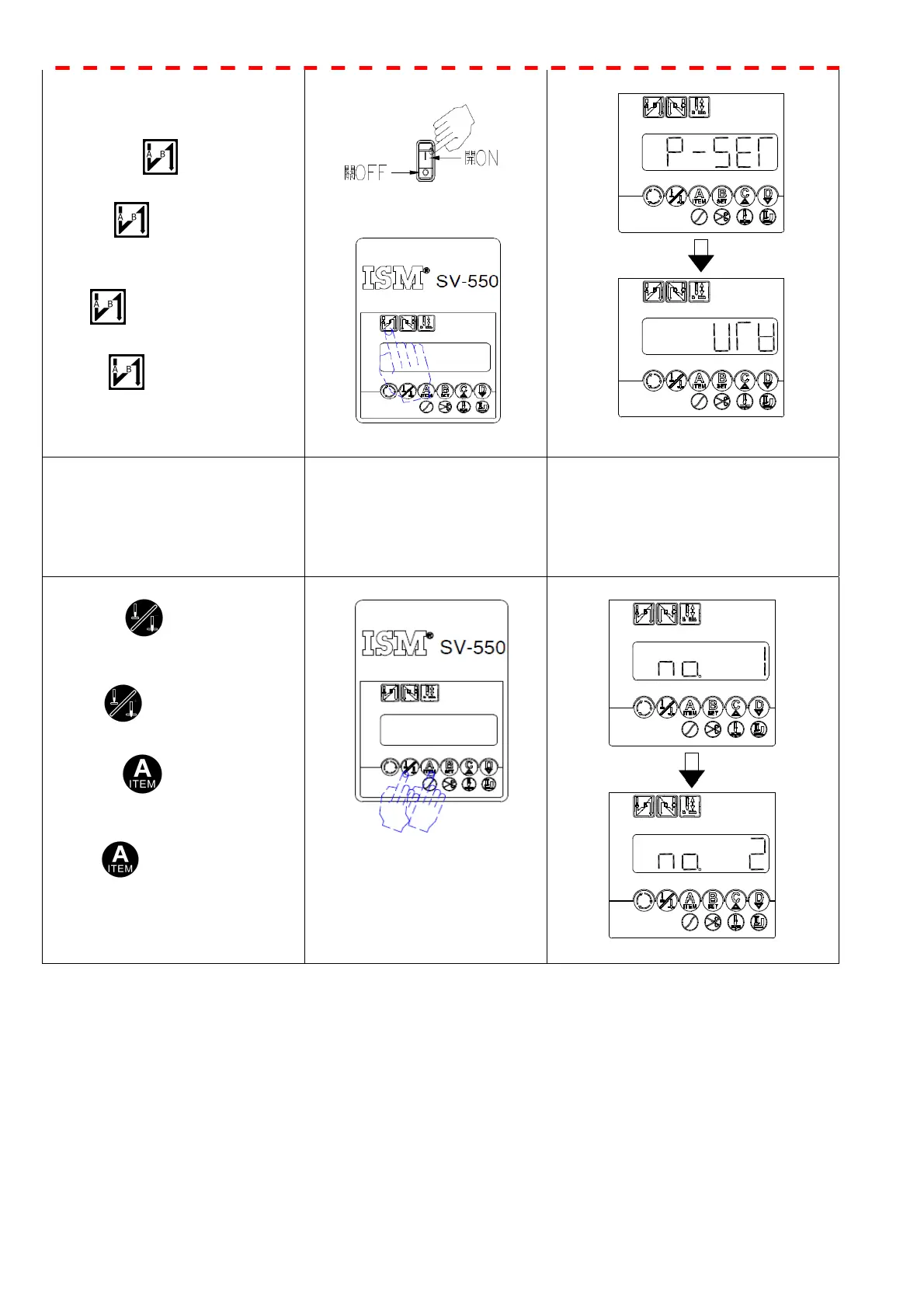
1. Turn ON the power.
開啟電源.
2. Press key exceed 2 second
until display “ P–SET “,then
release key,the selected
machine type display twinkled。
按住 停鍵超過 2 秒,出現
P-SET
放開 鍵;所選定的針車
頭選項閃爍顯示。
2.If it is not displayed as shown
above, please repeat steps ① or
②
2.如果顯示畫面與上述不同,請
重覆步驟 ① or ②
3.
3-1 Press key, thus
parameters no. will be cycle
decreased.
3-1.按 鍵,則參數號碼循
環遞減.
3-2 Press key, thus
parameters no. will be cycle
increased.
3-2 按 鍵,則參數號碼
循環遞增.
8



 To Next Page