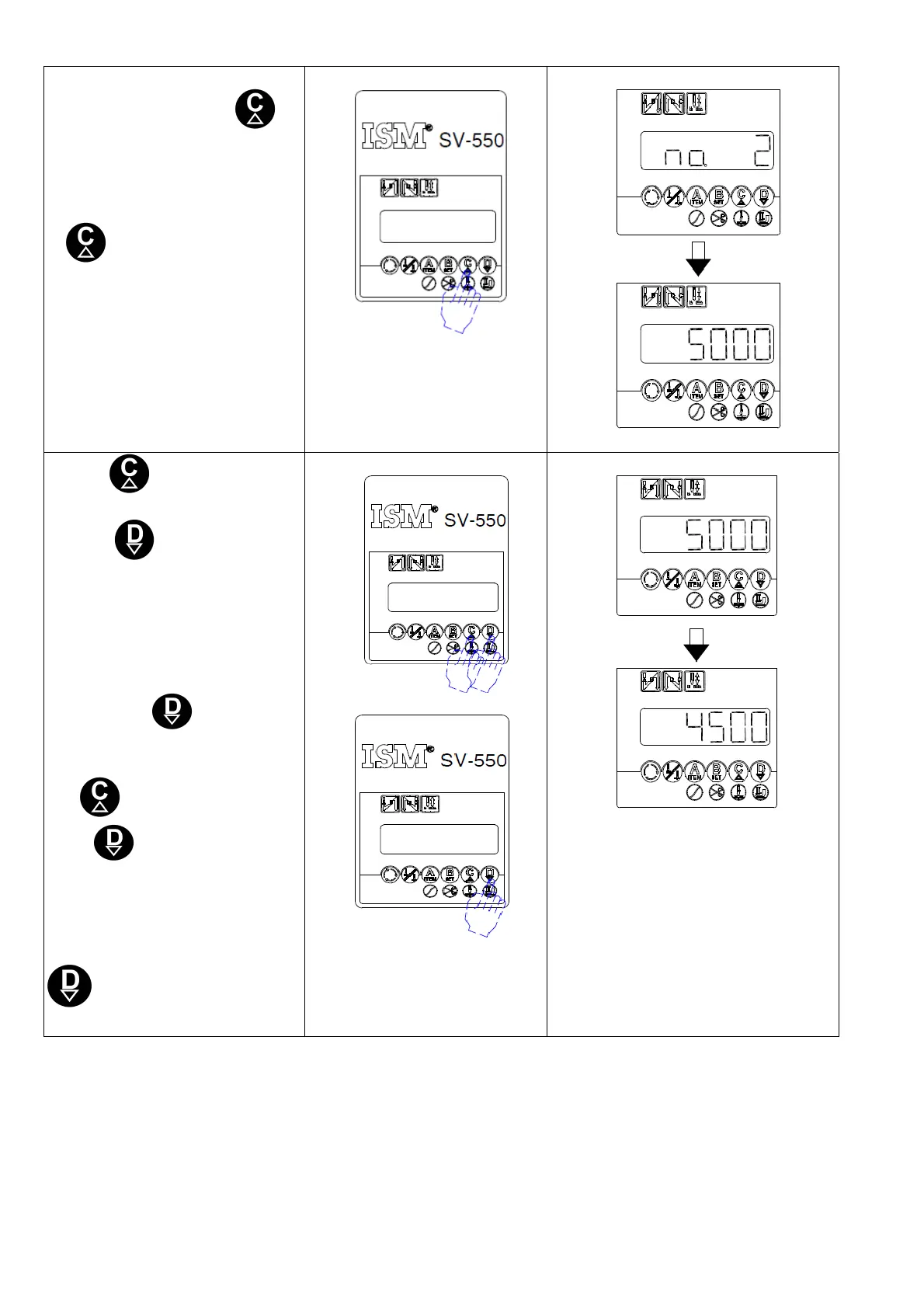
4.Once the modifying parameter
has been found, press
key, and the relative parameter
setting will display accordingly
4.找到想要修改之參數號碼,按
鍵,則顯示該號碼相對應
之參數值.
5.Press key to increase
parameter value.
Press key to decrease
parameter value.
If you keep the key pressed, it
will be continuously changing
for new parameter values.
(Ex. If you want to change
parameter No.3 from 135 to
130. Press key 5 times,
and 130 will be displayed on
the screen.
5.按
鍵增加參數值
按
鍵減少參數值
持續按住按鍵,可連續更新參
數值.
(例:要將參數 No.2 的值由 5000
修改為 4500.操作方法為按
鍵 10 次,使畫面顯示出
4500)
連按 10 次
9



 To Next Page