6
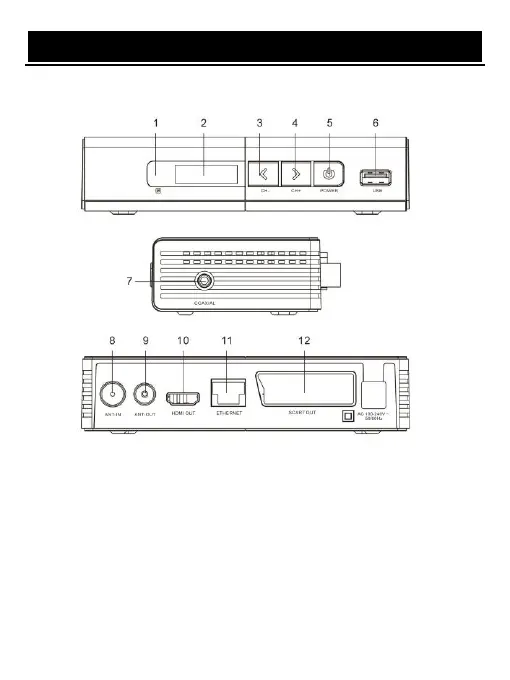
FRONT AND REAR PANEL
1. Remote control signal sensor
2. LED display windows
3. Change channel down button
4. Change channel up button
5. Power on/off button
6. USB jack
7. Digital Coaxial output (COAX adapter cable included)
8. Digital Terrestrial TV Broadcast signal input
9. Digital Terrestrial TV Broadcast signal input
10. Digital HDTV video output with HDCP, HDMI version 1.3
11. Network input
12. Scart output


 To Next Page