14
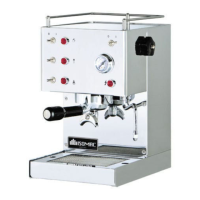
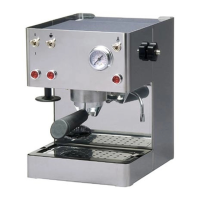
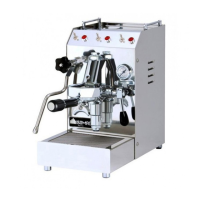
• place one or two cups on the cup rack (10) under the filter holder
• press the coffee switch (3). Coffee will come out of the bottom of the filter holder
• press the coffee switch again (3) when you have enough coffee desiderata
• if you want to make more coffee remove the filter holder by turning it from right to
left and empty out the used grounds. Repeat the above operations
4.3 Distribution of hot wa
ter
!
Always make sure the tank is full of water
! Never place your hands or other parts of the body in the path of the water/steam
nozzle(9). Hot water and steam can cause serious burns
• make sure the machine is pressurized (see paragraph 4.1)
• place a container under the steam/ hot water nozzle (9)
• turn the steam/hot water tap knob (8) counter-clockwise
• press the coffee switch (3). Hot water at about 95°C will come out of the bottom
of the steam/hot water nozzle (9)
• turn the steam/hot water nozzle (8) clockwise
• press the coffee switch (3) again when you have enough hot water
4.4 Distribution of steam
! Always make sure the tank is full of water
! Never place your hands or other parts of the body in the path of the water/steam
nozzle(9). Hot water and steam can cause serious burns
• make sure the machine is pressurized (see paragraph 4.1)
• place a container under the steam/ hot water nozzle (9)
• press the steam switch (5). The steam light (6) and the coffee light (4) will both
light up together
• wait about 30 seconds
• immerse the water/steam nozzle (9) in the liquid to be heated
• turn the knob on the steam/hot water tap (8) counter-clockwise
• steam will come out of the bottom of the steam/hot water nozzle (9)
• heat the liquid with the steam
• turn the knob on the steam/hot water tap (8) clockwise to stop the steam
• press the steam switch again (5)
! Do not forget to turn the steam switch (5) off after using the steam function.
If it does not work this will be signaled by the steam light that stays lit (6)
R
e
peat the operations indicated in paragraph 4.1 to refill the water tank:
• place a container under the water/steam nozzle (9)
• turn the knob on the water/steam tap (8) counter-clockwise
• press the coffee switch (3). Water will come out of the water/steam nozzle (9)
• press the coffee switch again (3)
• turn the water/steam knob (8) clockwise to close the tap
• wait about 3-4 minutes until the machine is pressurized and the coffee light (4)
goes off
5. RECOMMENDATIONS AND SUGGESTIONS
To enjoy excellent coffee:
purchase a good brand of coffee in beans
keep the coffee in beans in a dry place
grind the coffee beans fresh when you make coffee
measure and press the ground coffee slightly to pack it more uniformly


 To Next Page